
Last updated: 2026-08-25
Best Text-to-UI AI Tools for UI Designers
Related pack: View Pack
You have a paragraph in Slack, a PRD section, or a voice note—and you need screens before anyone argues about tokens. Most “AI UI generator” roundups mix wireframe toys, Figma plugins, full-stack app builders, and deck tools on one page. They rarely answer the job this article is about: text → product UI you can react to.
This shortlist is for UI and product designers (and the PMs in the same review) who need prompt- or brief-driven screens: hi-fi direction, multi-screen flows, or a clickable spike—not structure-only wireframes and not “how does this plug into Figma?” as the main story. Six tools. Not every chat-to-app product on Product Hunt.
Honest boundary up front: generators are fast at first screens. Components, empty states, accessibility, and the file of record still land with you—usually in Figma or the repo. This piece is the text-to-UI slice, not a replacement for your design system.
Upstream structure: Best AI Wireframe Generators for UI Designers. Figma-centered handoff paths: AI Tools That Work with Figma. Occupation overview: Best AI Tools for UI/Product Designers. Living list: UI / Product Designer Pack. Selection bar: How we evaluate AI design tools.
How we pick
Same bar we use across the site, weighted for text → UI screen jobs:
- Fit — Primary deliverable is product UI from language (prompt, brief, PRD chunk)—not decks, not marketing-site IA, not a full-stack app factory.
- Delivery — Editable screens on a canvas, or an honest live preview with code—not PNG-only one-offs you redraw from scratch.
- Workflow — Clear next step after generation (iterate on canvas, export, or hand toward eng)—without pretending any tool is your component library.
- Cost — A solo designer or small team can try before standup; credit, message, and watermark gates are checkable.
- Trust — Still maintained; Labs/Beta products labeled as exploration, not “bet the roadmap on it forever.”
We do not rank a #1 overall winner. Pick by hi-fi direction, multi-screen product UI, conversational brief, or code-backed spike.
Where to reach first
| If you need to… | Start with | Also consider |
|---|---|---|
| Mushy paragraph → hi-fi direction on an AI canvas | Google Stitch | Magic Patterns |
| Prompt → multi-screen product UI with system context | Magic Patterns | Banani |
| Text / sketch / screenshot → editable app or site screens | Uizard | Komposo |
| Chat-driven brief → screen drafts | Komposo | Banani |
| PRD or reference → multi-screen prototype | Banani | Uizard |
| Text → clickable React UI (not canvas-only) | v0 | — |
Most teams need one canvas generator plus, sometimes, one code spike tool—not all six.
The shortlist
 Google Stitch — Prompt → hi-fi UI on a Labs canvas
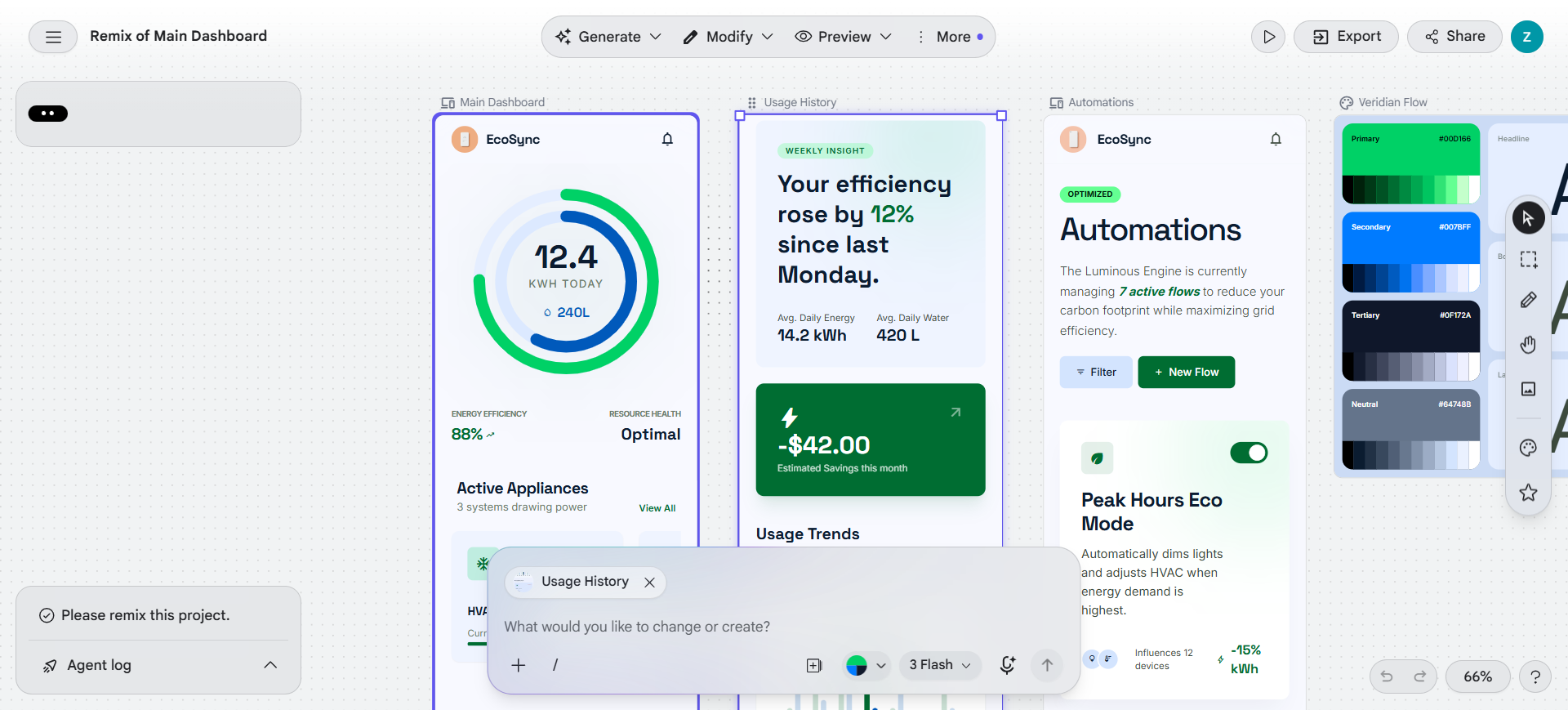
Stitch is Google Labs’ text-to-screen seat: start from a prompt, voice, screenshot, or existing design/code context, then stream and edit hi-fi UI on an infinite canvas—not a wireframe-only pass and not “open Figma first.” Its loop stays on Stitch until you deliberately bridge elsewhere.
- Best for: Fast hi-fi direction when the brief is still mushy and you need something visual to react to in hours, not days.
- Strongest use: Prompt / image / voice / imported context → steer the design agent while screens stream → local AI edits without regenerating the whole board → treat output as direction, then finalize systems in your main tool. (Figma export and builder bridges exist; they are downstream—not why this article lists Stitch.)
- Don’t use if / Watch outs: The team only needs light AI inside an existing Figma file—Figma AI in the Figma workflow shortlist. You want structure / lo-fi alignment before polish—Best AI Wireframe Generators for UI Designers. Labs product with daily credits—check Settings → Usage (caps can change; one account showed 400 Daily Credits). Not a permanent design-system home.
- Pricing snapshot: Free / Freemium Labs access with daily credits—confirm in-product Settings before you promise volume.
 Magic Patterns — Prompt → design-system-aware product UI
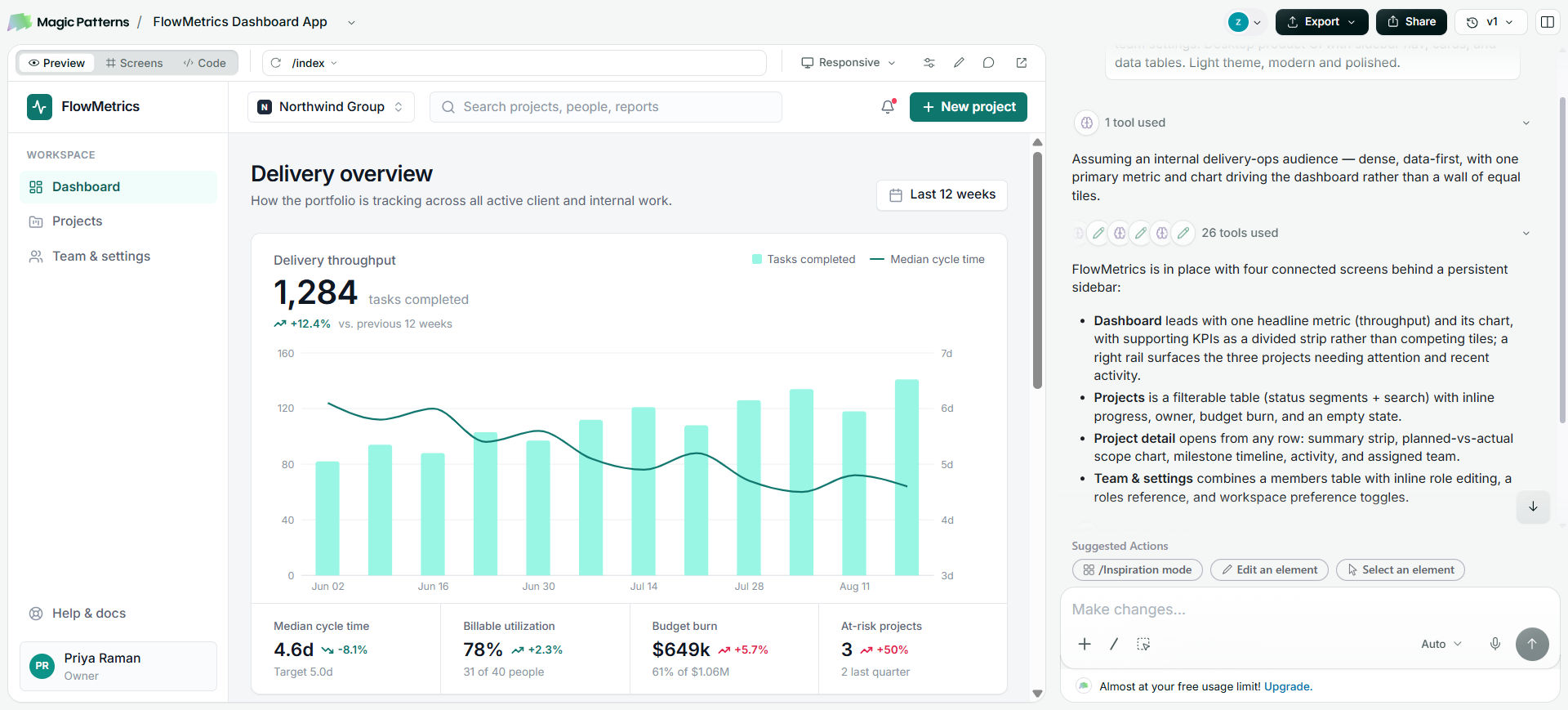
Magic Patterns generates multi-screen product UI from prompts with drafting that stays closer to a component mindset—then you iterate with manual and “Fix” paths that spare credits. On this list its job is text → product UI, not the Figma import/export bridge story (that lives in the Figma workflow article).
- Best for: Product teams who want prompt-driven UI that can grow into several connected screens before anyone opens a systems file.
- Strongest use: Describe the flow or screen set → generate → refine with cheap edit/fix loops → continue in Magic Patterns until the narrative holds → hand off via export/sync on paid tiers when the team is ready for Figma or the repo.
- Don’t use if / Watch outs: Free is trial-shaped: 100 monthly credits and watermarked previews—client-facing demos need Starter (watermark removal). You only want wireframe exploration—Best AI Wireframe Generators for UI Designers. You need conversion from a finished Figma file only—Locofy or Anima territory, not text-to-UI generation.
- Pricing snapshot: Freemium — Free: 100 credits/mo. Starter: 1,000 credits/mo, watermark removal, MCP, GitHub sync. Business: 5,000 credits/mo, SSO, usage reporting—check Magic Patterns for current tiers.
 Uizard — Text brief → editable product screens
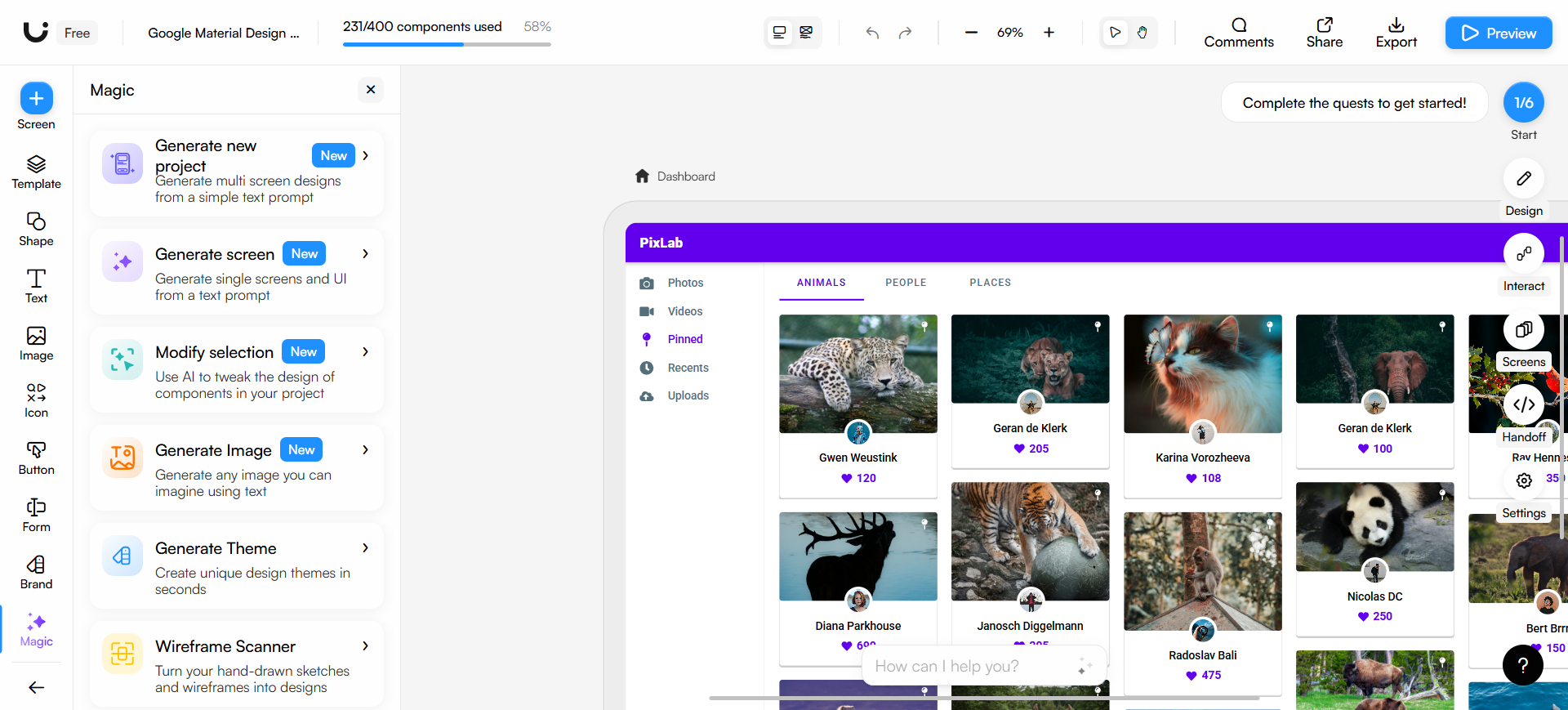
Uizard is the text-to-screen seat when you need app or site UI from a written brief—especially when not everyone is a Figma power user. Autodesigner is the main path here: paste a prompt, get editable screens in Uizard’s browser editor. Screenshot and Wireframe Scanners exist as reference inputs; they are not why this article lists Uizard (structure-first wireframing lives in the wireframe shortlist).
- Best for: Stakeholder-facing screen sets from text when you need clicks and comments before systems work.
- Strongest use: Written brief → Autodesigner (paid tiers use Autodesigner 2.0; Free uses 1.5) → edit in the browser → share with unlimited free viewers/commenters → export or developer handoff on paid plans → rebuild components in Figma once direction locks.
- Don’t use if / Watch outs: Figma is already the only source of truth and you only need in-file AI—Figma AI. Free is tight: 2 projects, 3 AI generations/month, Autodesigner 1.5 (not 2.0)—not a production runway. Native two-way Figma sync as system of record—wrong tool (import paths exist; export back is not a live design-system sync). Google Labs streaming canvas—Stitch. Uizard has been acquired by Miro—product direction may follow Miro’s roadmap; check current positioning before a long team contract.
- Pricing snapshot: Freemium — Free: 2 projects, 3 AI gens/mo, Autodesigner 1.5. Pro / Business unlock Autodesigner 2.0, higher generation caps, and developer handoff—check Uizard for current plan names.
 Komposo — Conversational brief → UI screen drafts
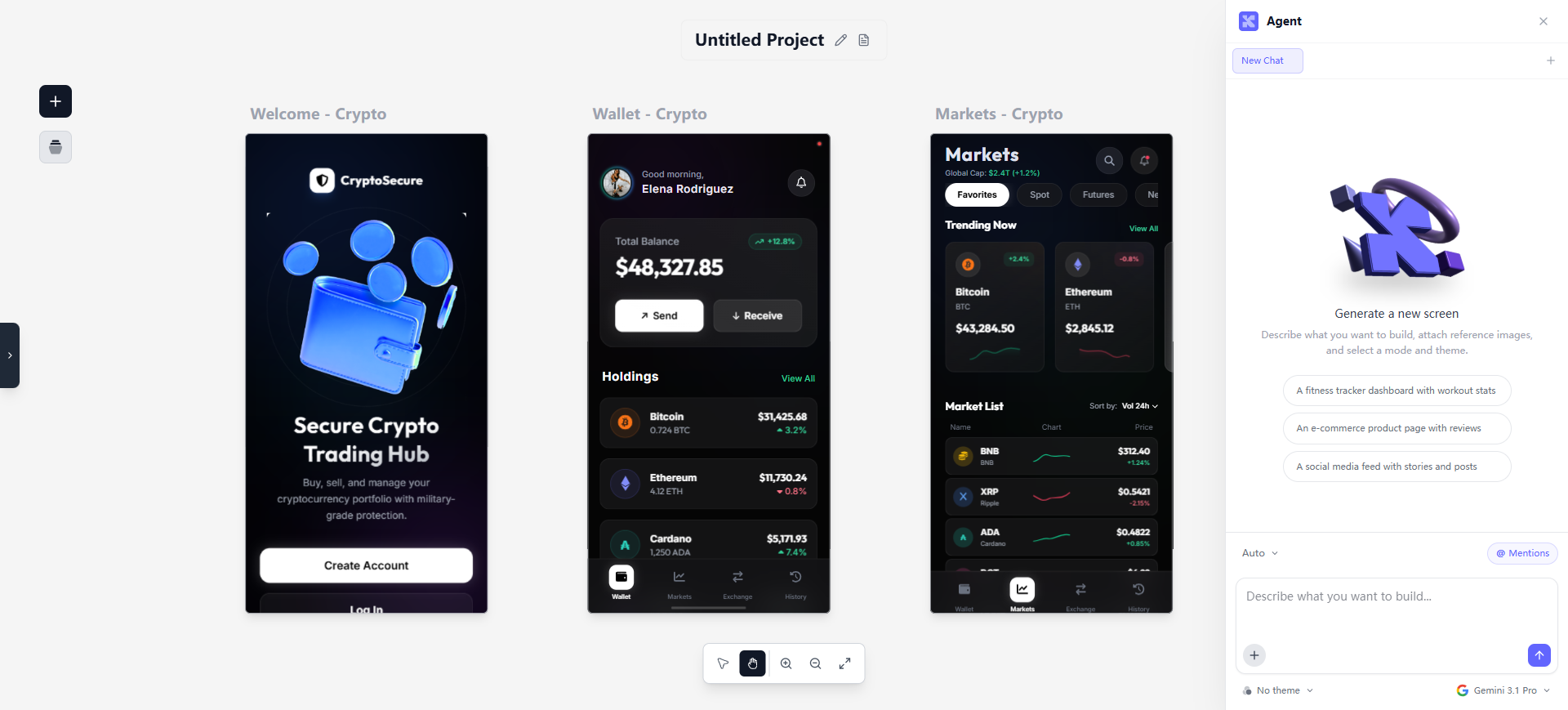
Komposo is chat-first text-to-UI: paste a product brief, generate layouts in conversation, refine by talking—not a whiteboard and not a code sandbox. Credits map roughly to screens generated or edited (~1 credit per screen on current pricing copy).
- Best for: Designers who think in briefs and want iterative screen drafts without leaving a conversational loop.
- Strongest use: Brief → generate screens in chat → refine direction → Starter (paid) export toward Figma or code → polish spacing, states, and components in your main tool.
- Don’t use if / Watch outs: Free: 10 one-time credits and 1 project—enough to evaluate, not to run a sprint. You need a maintained design system in Figma as the generator home. Workshop diagrams—Miro or Excalidraw. Client commercial terms—confirm Team (or current plan) before shipping paid client work.
- Pricing snapshot: Freemium — Free: 10 one-time credits, 1 project. Starter: 75 credits/mo (~75 screens), Figma/code export. Pro / Team: higher credit pools, unlimited or shared projects; Team adds commercial use—check Komposo for prices.
 Banani — PRD or reference → multi-screen UI prototypes
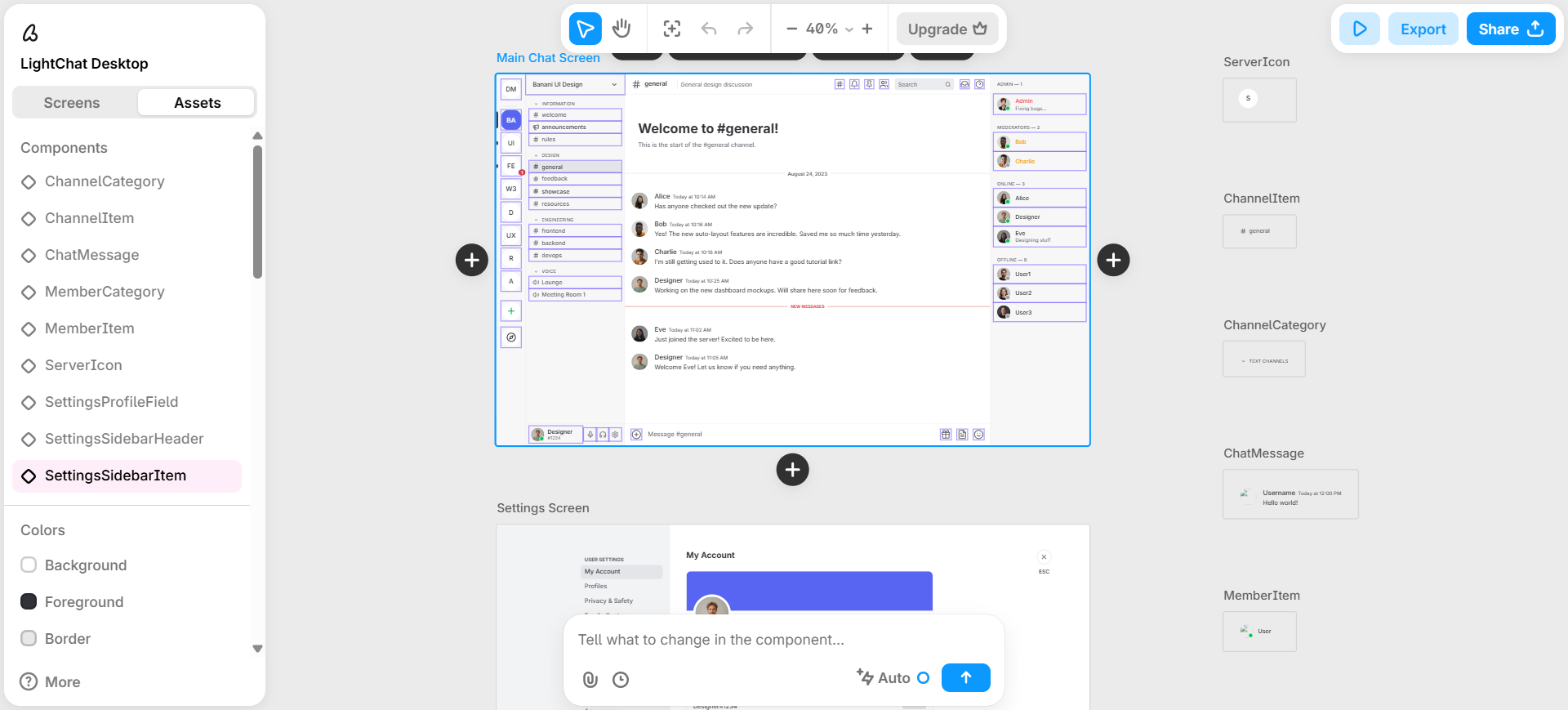
Banani targets multi-screen product UI from text or references—PRD chunks, screenshots, or a written flow—without jumping straight to a full-stack app builder. Generation stays in Banani until you choose Figma or MCP export on paid tiers.
- Best for: PM–design pairs who want several connected screens from a written spec before systems polish.
- Strongest use: Describe the product or attach references → generate multi-screen web/mobile UI → AI edits in-project → Plus for unlimited Figma export and MCP/code paths (Pro if you need unlimited generation credits) → finish interaction and tokens in design/dev tools.
- Don’t use if / Watch outs: Figma handoff on day one requires Plus (unlimited Figma export)—Free is explore-only (12 monthly credits + 3 daily; single runs can cost >1 credit). Full backend + hosting app factory—v0, Bolt, or Lovable, not this UI-copilot seat. Enterprise SSO / design-system import—sales tier.
- Pricing snapshot: Freemium — Free: 12 monthly + 3 daily credits. Plus: 100 monthly + 10 daily, Agent mode, unlimited Figma export, MCP/code export. Pro: unlimited credits—check Banani for current tiers.
 v0 — Text → clickable React UI with live preview
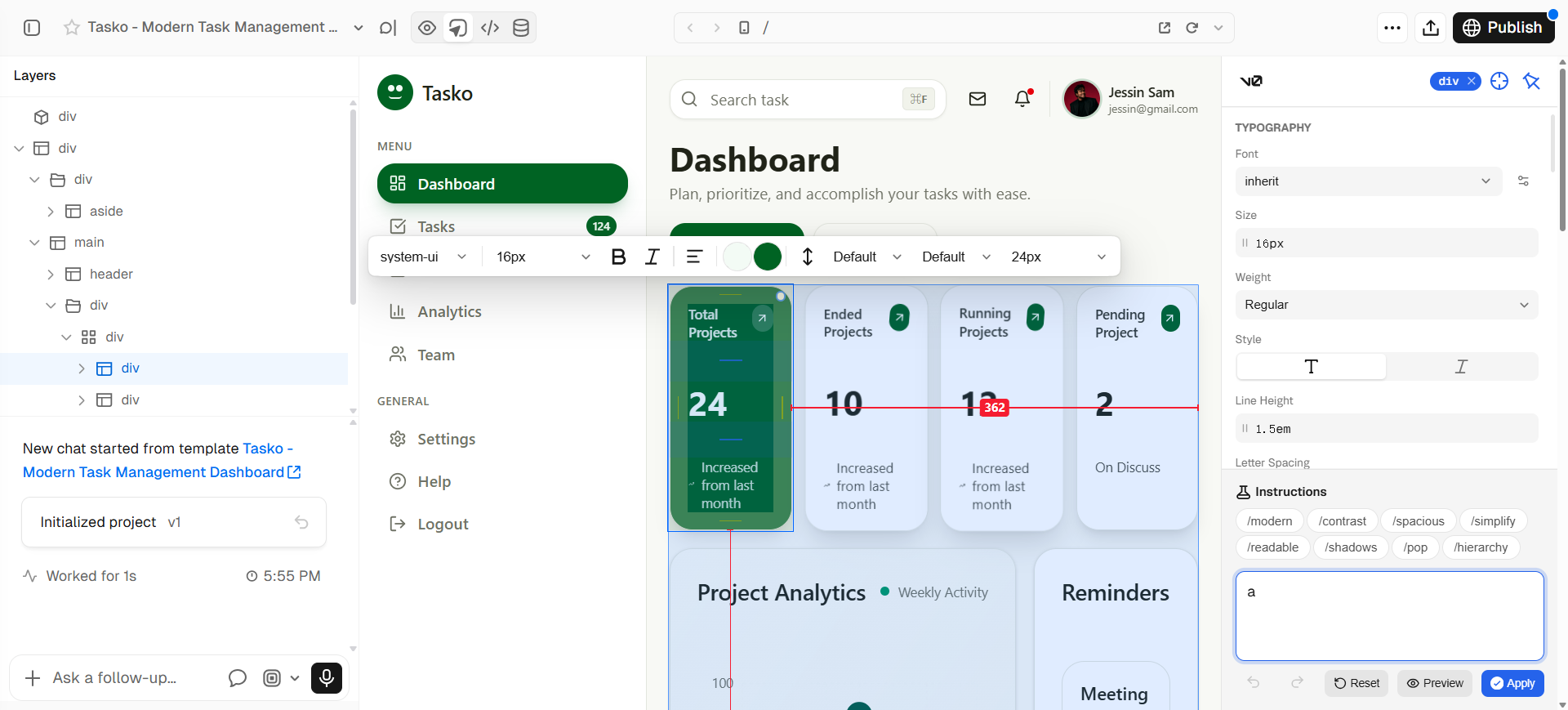
v0 is the code-backed text-to-UI seat: natural language → working React UI with live preview and Design Mode—when a static canvas cannot prove interaction, loading, or real component behavior. Primary loop is in v0, not on a design canvas you pretend is shippable.
- Best for: Designers and front-end-adjacent teammates who need clickable product UI from text before eng commits to a build.
- Strongest use: Prompt the screen or flow → iterate in chat → tweak visually in Design Mode → share via preview, GitHub, or Vercel deploy → hand toward engineering without claiming v0 replaced Figma.
- Don’t use if / Watch outs: You only want canvas-only generation with no code—Stitch, Magic Patterns, Uizard, Komposo, or Banani. Free is tight: $5 included monthly credits and 7 messages/day. Marketing-site IA—Relume in the wireframe/Figma neighbors. Figma AI vs v0 as a two-tool duel—see Figma AI vs v0 for UI Designers.
- Pricing snapshot: Freemium — Free: $5 monthly credits + 7 messages/day; Design Mode, GitHub sync, and Vercel deploy listed on Free. Plus / Business raise credits and add team features—check v0 for current plans.
Don’t use this list if…
- You need flows and lo-fi structure before anyone cares about visual polish. Start with Best AI Wireframe Generators for UI Designers.
- Your question is how AI relates to a Figma source-of-truth file (in-file, into Figma, past a frame). Use AI Tools That Work with Figma—Figma AI lives there, not here.
- You want Figma AI vs v0 as a head-to-head decision. Use Figma AI vs v0 for UI Designers.
- You need a prompt → full-stack hosted app with auth and database as the main deliverable. Wrong aisle—Bolt, Lovable, and neighbors; this list stops at UI screens and honest spikes.
- Your brief is logo / icon / image upscale. Use the logo, icon, or upscaler task guides.
- You expect a generator to ship production-ready design-system components. Draft here; systems work still happens with you.
Start from the Pack
For a maintained path across flows → wireframes → UI → handoff:
This article is the text-to-UI task narrative. The Pack’s living shortlist is wider (Figma AI, Stitch, Uizard, v0, and workflow neighbors). All six tools here fit the “prompt → screen” job even when they are not the only Pack node for that step.
What’s next
- Figma AI vs v0 for UI Designers — in-Figma AI vs code/front-end path when you must choose (or sequence) the two.
- AI Tools That Work with Figma — when the file of record is already Figma.
- Best AI Wireframe Generators for UI Designers — upstream structure before hi-fi generation.
- How we evaluate AI design tools — same selection bar, expanded.
Missing a text-to-UI tool that belongs in real product delivery workflows? Submit it.