
Last updated: 2026-08-25
Figma AI vs v0 for UI Designers
Related pack: View Pack
You already know both names. Figma AI shows up on every “AI for designers” list because your team lives in Figma. v0 shows up because prompts can become clickable React UI with a live preview—something a static frame struggles to prove.
The confusion is treating them as the same job. They are not two ways to “generate a screen.” One keeps AI inside the design file of record. The other is a code-backed spike seat when interaction, loading, or component behavior has to feel real before engineering commits.
This comparison is for UI and product designers (and the front-end-adjacent people in the same review) who must choose—or sequence—in-file design AI vs v0’s live UI path. Not a feature war. Not a third-tool roundup.
Honest boundary up front: most mature teams use both, in order. Figma holds systems, variants, and review. v0 proves the moments a frame cannot. Neither replaces the other as your permanent design-system home.
Context: AI Tools That Work with Figma places them as workflow neighbors. Best Text-to-UI AI Tools covers six prompt-to-screen generators where v0 is one canvas/code option among many. This piece is the head-to-head when the question is specifically Figma-native AI vs v0. Selection bar: How we evaluate AI design tools.
How we pick
Same site-wide bar, weighted for this decision:
- Workflow — Does the tool respect Figma as file of record, or honestly sit past a static frame?
- Fit — Product UI delivery—not generic image generation or a full-stack app factory.
- Delivery — Design artifacts on canvas vs runnable UI / code you can share with engineering.
- Cost — Seat and credit gates (Figma) vs message and credit limits (v0) a small team can check before standup.
- Trust — Still maintained; capabilities labeled as evolving where vendors ship fast.
Decision diffs that matter here
| When you need… | Lean toward |
|---|---|
| Iteration next to components and variants in the shared file | Figma AI |
| Proof of interaction, states, or live component behavior | v0 |
| PM/design review on the canvas everyone already uses | Figma AI |
| A preview link or GitHub handoff eng can fork | v0 |
| Long-lived tokens, libraries, and handoff | Figma AI (v0 is a spike, not the system file) |
We do not crown a universal winner. The table below is the point.
Quick read
| If your next step is… | Start with |
|---|---|
| Explore or remix UI inside the Figma source-of-truth file | Figma AI |
| Turn a prompt into clickable React UI with live preview | v0 |
| Pick among six text-to-UI generators (canvas + code) | Best Text-to-UI AI Tools |
| Map in / into / past Figma tools without a duel | AI Tools That Work with Figma |
The two paths
 Figma AI — AI inside the source-of-truth file
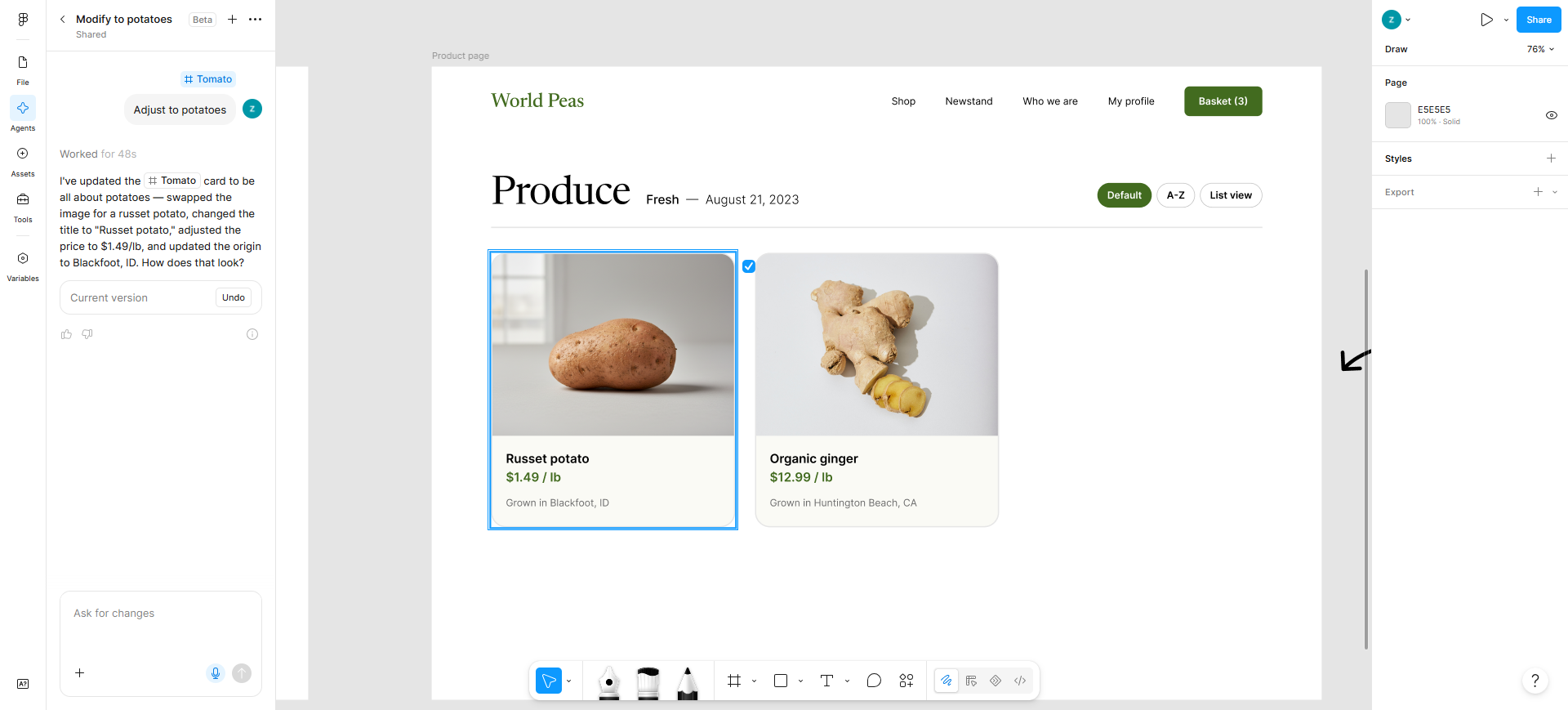
Figma AI is for teams whose file of record is already Figma. You are not adopting a second canvas—you are using AI on the same artboard your team comments on, next to components, variants, and libraries. Agent features, Make, and MCP bridges evolve quickly; treat capabilities as current product, not a frozen brochure.
- Best for: Designers who need AI without leaving the shared Figma file or rebuilding work elsewhere.
- Strongest use in this comparison: Explore or remix on the canvas → refine with teammates in-file → keep tokens and components in the system you already ship from. Optionally push toward prototypes, Make, or external agents via MCP when your stack supports it—still anchored in Figma.
- Don’t use if / Watch outs: The team does not use Figma. You expect unlimited free AI—seat credits reset monthly, don’t roll over, and aren’t shared between users (numbers in Pricing). Delivery stays design canvas—not deployable app code. You need clickable React proof of edge cases—a frame plus Figma AI will not replace that job; see v0 below.
- Pricing snapshot: Freemium seat model — Starter (and View seats): 150 AI credits/day, up to 500/mo. Paid Full seats: Professional 3,000 / Organization 3,500 / Enterprise 4,250/mo; Dev and Collab stay at 500/mo. After seat credits run out, admins on paid plans can add a credit subscription and/or pay-as-you-go. Details: Manage AI credits (confirm on Figma if numbers move).
 v0 — Text → clickable React UI past a static frame
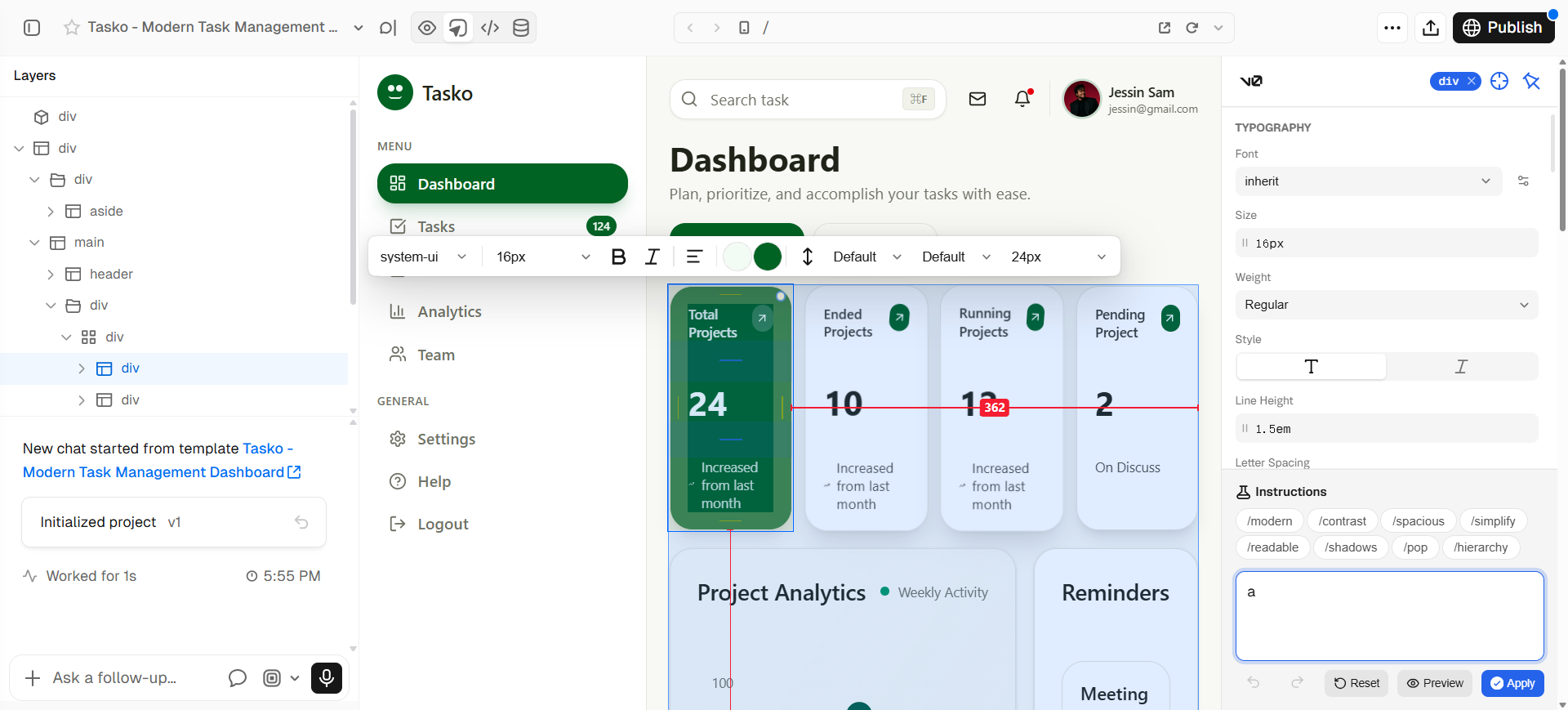
v0 is the downstream spike: natural language → working React UI with live preview and Design Mode. The primary loop stays in v0—not on the Figma canvas, and not as an Export-to-Figma product. Use it when a static frame cannot prove interaction, loading, validation, or real component behavior before engineering commits.
- Best for: Designers and front-end-adjacent teammates who need code-backed UI from text—shareable via preview, GitHub, or Vercel deploy—after direction is roughly aligned.
- Strongest use in this comparison: Align structure in Figma (or upstream wireframe tools) → spike the interactive slice in v0 → iterate in chat and Design Mode → hand toward eng without claiming v0 replaced your design system file.
- Don’t use if / Watch outs: You only need light AI inside an existing Figma file—Figma AI. You want canvas-only generation with no code path—see Best Text-to-UI AI Tools (Stitch, Magic Patterns, Uizard, and neighbors). Free is tight: $5 included monthly credits and 7 messages/day—enough to spike, not to run a sprint. You need a Figma → production code converter bake-off (Locofy, Anima, dedicated handoff tools)—that is a different guide, not this duel.
- Pricing snapshot: Freemium — Free: $5 monthly credits + 7 messages/day; Design Mode, GitHub sync, and Vercel deploy listed on Free. Plus / Business raise per-user credits (and add daily login credits on those tiers) plus team features; Enterprise is custom—check v0 for current plans.
Verdict by scenario
| Scenario | Lean toward | Why |
|---|---|---|
| Team already reviews in Figma; you need faster exploration on the same components | Figma AI | Zero context switch; systems stay home |
| Stakeholders need to click through states, forms, or loading—not imagine them | v0 | Live preview beats annotated frames |
| You are maintaining variants, libraries, and dev handoff from Figma | Figma AI | v0 is not your token source of truth |
| You owe eng a forkable spike or deploy preview this week | v0 | Code path is the deliverable |
| Org has not enabled AI on your Figma seats / credits are exhausted | Check access first | Neither tool helps if the wrong seat blocks AI |
| You want prompt → multi-screen UI without committing to Figma first | Neither (here) | Use Best Text-to-UI AI Tools |
| You need batch conversion from finished Figma frames to production code | Neither (here) | Wait for a dedicated figma-to-code shortlist |
Common sequence (not either/or): wireframe or structure upstream → Figma AI for direction and systems craft on key screens → v0 for one or two flows that must feel real → back to Figma for polish and handoff.
Don’t use this comparison if…
- You are still choosing lo-fi structure before polish. Start with Best AI Wireframe Generators for UI Designers.
- You need the full Figma workflow map (in-file, into Figma, past a frame)—not a two-tool duel. Use AI Tools That Work with Figma.
- You want a six-tool text-to-UI generator shortlist. Use Best Text-to-UI AI Tools—v0 appears there as one seat among canvas generators.
- Your team does not use Figma. Pick a stack that matches your actual file of record first.
- You need logo, icon, or upscale work. Use the logo, icon, or upscaler guides.
Start from the Pack
For a maintained path across flows → wireframes → UI (Figma) → handoff:
This article is the Figma AI vs v0 decision slice. The Pack keeps the wider living shortlist; the Figma workflow and text-to-UI articles cover neighboring jobs without repeating this duel.
What’s next
- Best Text-to-UI AI Tools — six prompt-to-screen tools when the job is not “Figma file vs v0.”
- AI Tools That Work with Figma — six tools mapped to in / into / past Figma.
- Best AI Tools for UI/Product Designers — occupation overview.
- How we evaluate AI design tools — same selection bar, expanded.
- Best Figma-to-Code AI Tools — converter and handoff bake-off (separate from this duel).
Missing a tool that belongs in real UI delivery workflows? Submit it.