
Last updated: 2026-09-09
Free AI Design Tools Worth Trying
Most “free AI design tools” pages are freemium malls: Midjourney trials, watermarked exports, and tools that bait you into a card before you finish one real job. Designers don’t need another dump of every product that once offered a free credit.
This shortlist is for designers who want usable free or forever-free seats—direction, concepts, early UI structure, and image cleanup—without pretending free equals client-ready forever. Seven tools across six stops. Not fifteen soft trials.
Honest boundary up front: free tiers have ceilings—daily credits, resolution caps, one-project limits, or “pay when you download.” We call those out. When the job needs commercial rights, HD masters, or team seats, pay or switch; don’t stretch a free plan into a lie.
Selection bar: How we evaluate AI design tools. Deeper task lists when you already know the job: logo generators, wireframes, upscalers. Brand kickoff path: Best AI Tools for Brand Designers.
How we pick
Same site-wide bar, weighted for Cost and free-tier honesty:
- Fit — Serves a concrete design job (direction, marks, wireframes, cutout, erase, upscale)—not generic “AI art.”
- Delivery — Free output is usable for drafts, exploration, or local delivery prep—or we label it explore-only.
- Workflow — You can continue in Figma, Illustrator, or a local file—not a dead-end gallery.
- Cost — Real free / forever-free access without inventing dollar amounts; caps and “pay when…” moments are explicit.
- Trust — Still maintained; ownership and commercial terms checkable before a client name goes in.
We do not rank a #1 free tool. Pick by the job you’re in today.
Where to reach first
| If you need to… | Start with | Also consider |
|---|---|---|
| Free color / type direction before a mark | Huemint + Fontjoy | Khroma in the Brand Pack |
| Unlimited free logo concepts, pay once for a kit | Brandmark | Looka / LogoAI in the logo guide |
| Free wireframes / hi-fi in-app (daily credits); Figma/code export on paid | UX Pilot | Uizard / Pack neighbors in the wireframe guide |
| Local open-source upscale, no subscription | Upscayl | Paid suites in the upscalers guide when print-critical |
| True free local browser cutout (no cloud upload for process) | BgSub | remove.bg / Pixian — see background-removal guide |
| Free object erase for web drafts | Cleanup.pictures | Pro when you need full-res; Photoshop when you need layers |
Most free workflows need one direction or concepts seat + one cleanup seat—not every row.
The shortlist
 Huemintand
 Fontjoy — Free direction before you draw
These two stay free in the browser and sit upstream of logo makers. Neither is a logo wizard. They answer “what should this feel like?” before anyone pays for a kit.
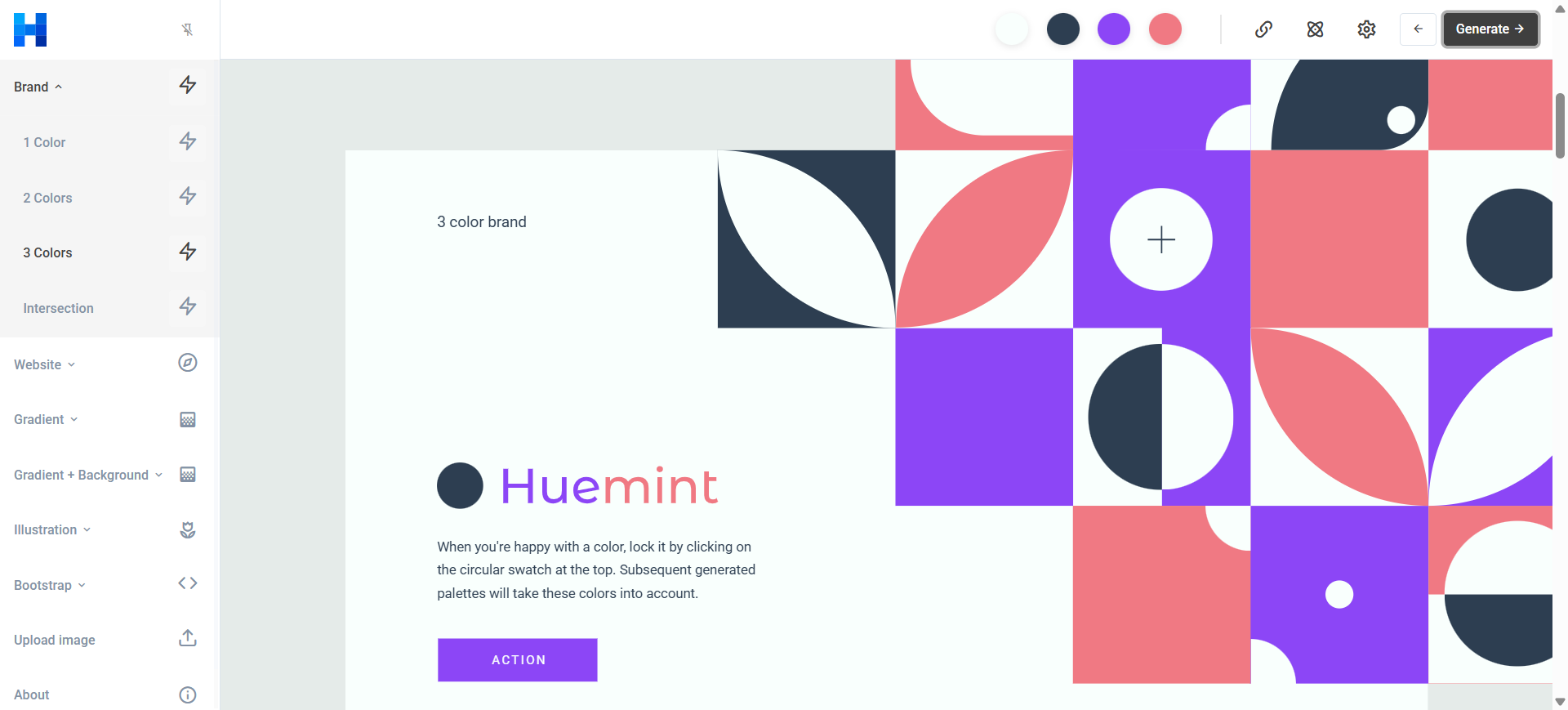
Huemint proposes color schemes tied to layout roles—background, text, accents—on brand and website templates.
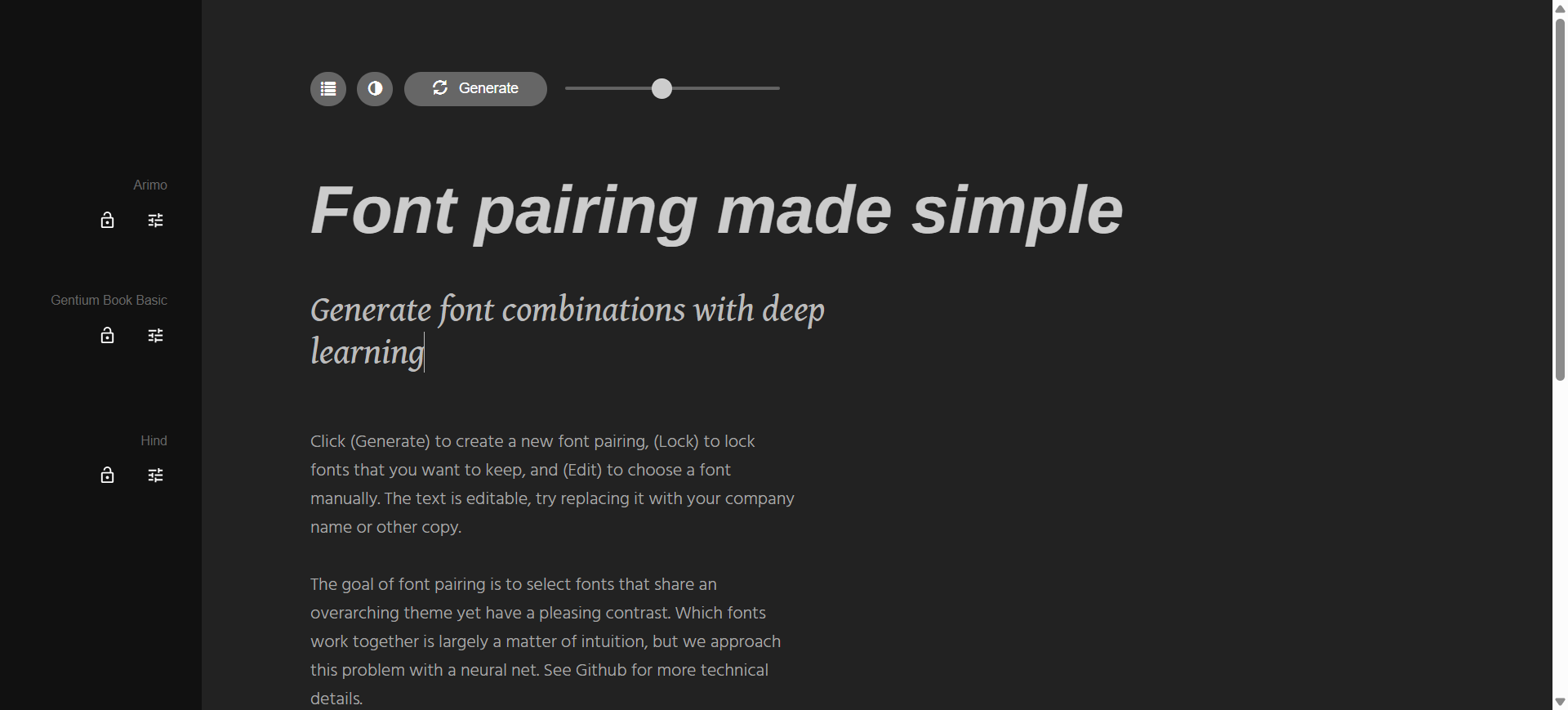
Fontjoy suggests heading–body pairings you can lock, swap, and preview with real copy.
- Best for: Designers who want palette and type direction without a paid moodboard stack.
- Strongest use: Huemint → copy keeper hex into Figma or brand docs → Fontjoy → note font names for text styles → move into concepts tools with clearer constraints.
- Don’t use if / Watch outs: You need a saved team library—both are browser one-offs. Huemint image upload expects flat color areas, not photos (About). Huemint’s public API is non-commercial only. Neither replaces a written brief.
- Pricing snapshot: Free in the browser for both—Fontjoy has no paid tier. Huemint’s public API remains non-commercial only (About).
→ /tools/huemint · /tools/fontjoy
 Brandmark — Unlimited free concepts, pay once for the kit
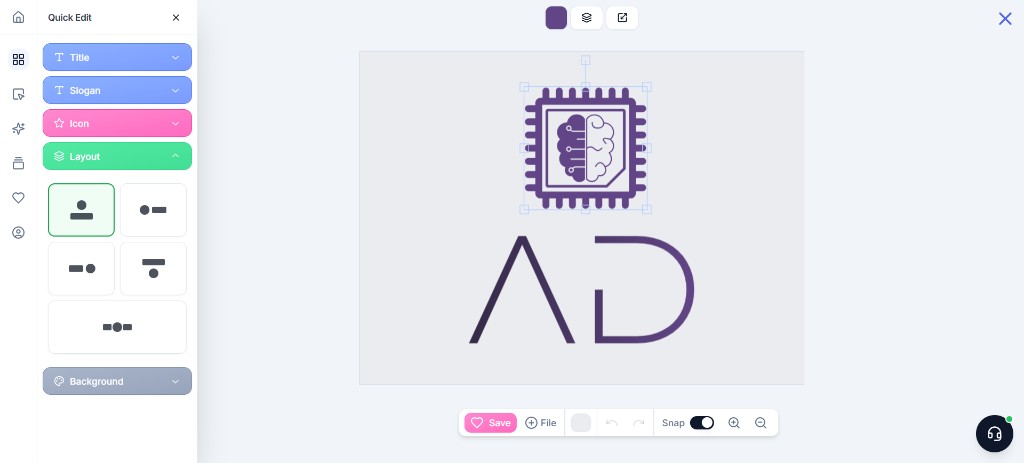
Brandmark is the free-list logo seat: unlimited free generation and in-browser tweaks, then a one-time package instead of a monthly logo subscription. Basic is mark files; Designer adds guidelines and starter collateral.
- Best for: Freelancer / founder briefs that need a shortlist fast, then a single purchase to download.
- Strongest use: Keywords → generate → customize → buy Basic (mark-only) or Designer (guidelines + collateral) → pull vectors into Illustrator/Figma and refine for uniqueness.
- Don’t use if / Watch outs: You want an ongoing merch canvas—Kittl. You want an annual asset matrix—Looka Brand Kit. Don’t ship Basic files as full client handoff if the brief needs guidelines. Lockup and trademark cleanup still sit with you.
- Pricing snapshot: Freemium — unlimited free concepts; download / kit files require a one-time purchase (no monthly logo sub)—check current package names and file lists on Brandmark.
 UX Pilot — Free forever wireframes; pay for Figma/code export
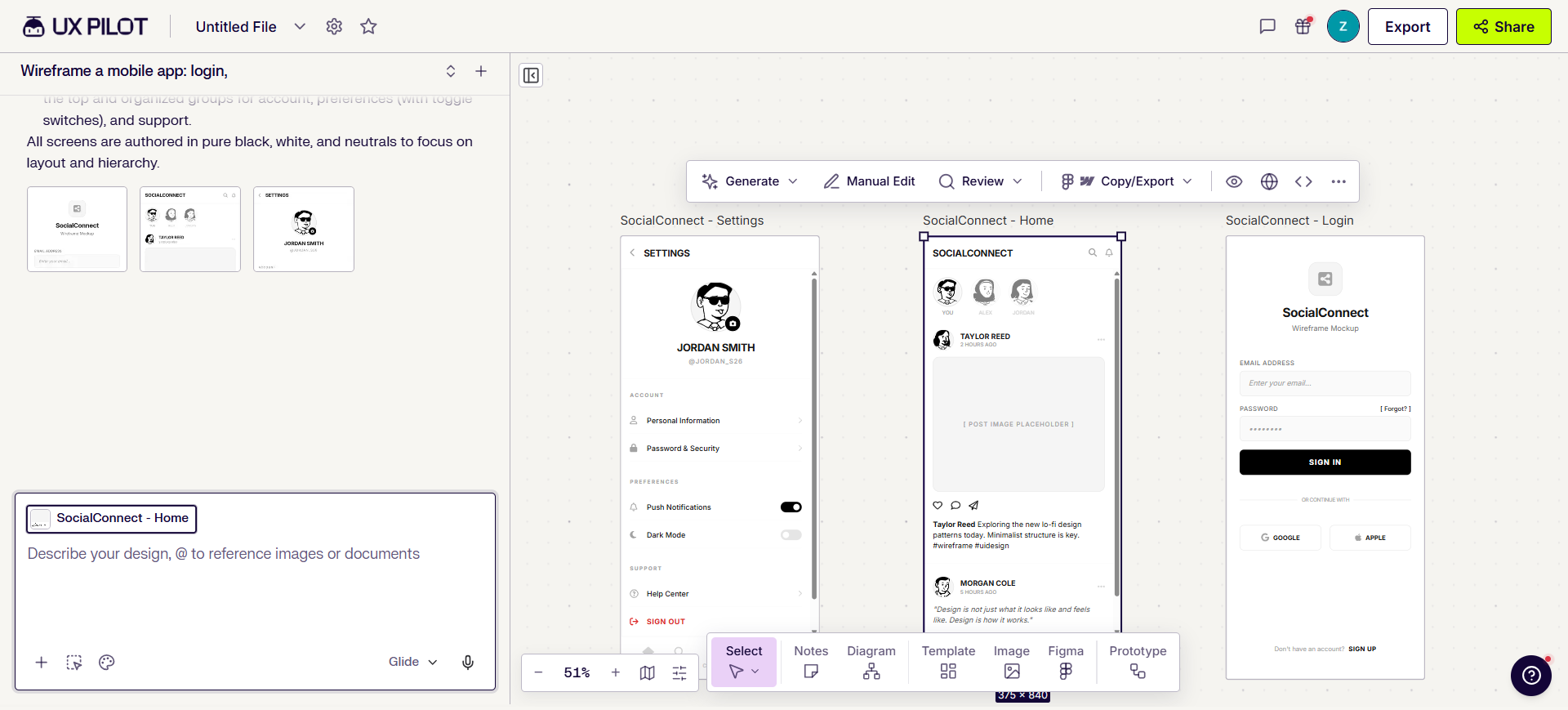
UX Pilot is the free-tier UI structure seat: prompt, PRD, sketch, or reference → editable wireframes and early hi-fi inside the product. Compare Plans puts design features (wireframe, hi-fi, flows, section edit, and more) on Free—including Figma component import—but Export to Figma and Export to code start at Pro. Treat Free as a first-pass sandbox, not the handoff plan.
- Best for: Solo designers exploring product structure without buying a wireframe suite on day one.
- Strongest use: Brief → generate multi-screen lo-fi → section edit in UX Pilot → upgrade when you need Figma/code export → finish components and edge cases in Figma.
- Don’t use if / Watch outs: Your source of truth is already a finished Figma file—use native AI there instead. Free is real but capped: $0 forever (no card), 80 credits/day (daily refresh, no rollover), about 13 screens/day, and 1 project. Export to Figma / code are not on Free. Pro adds monthly credits (750/mo on the current card), more projects (5), website cloner, and those exports—Teams when shared pools and seats matter.
- Pricing snapshot: Freemium — Free forever with daily credits + in-app design features; Pro+ for Figma/code export, monthly credit pools, and higher project caps.
 Upscayl — Local open-source upscale, no subscription required
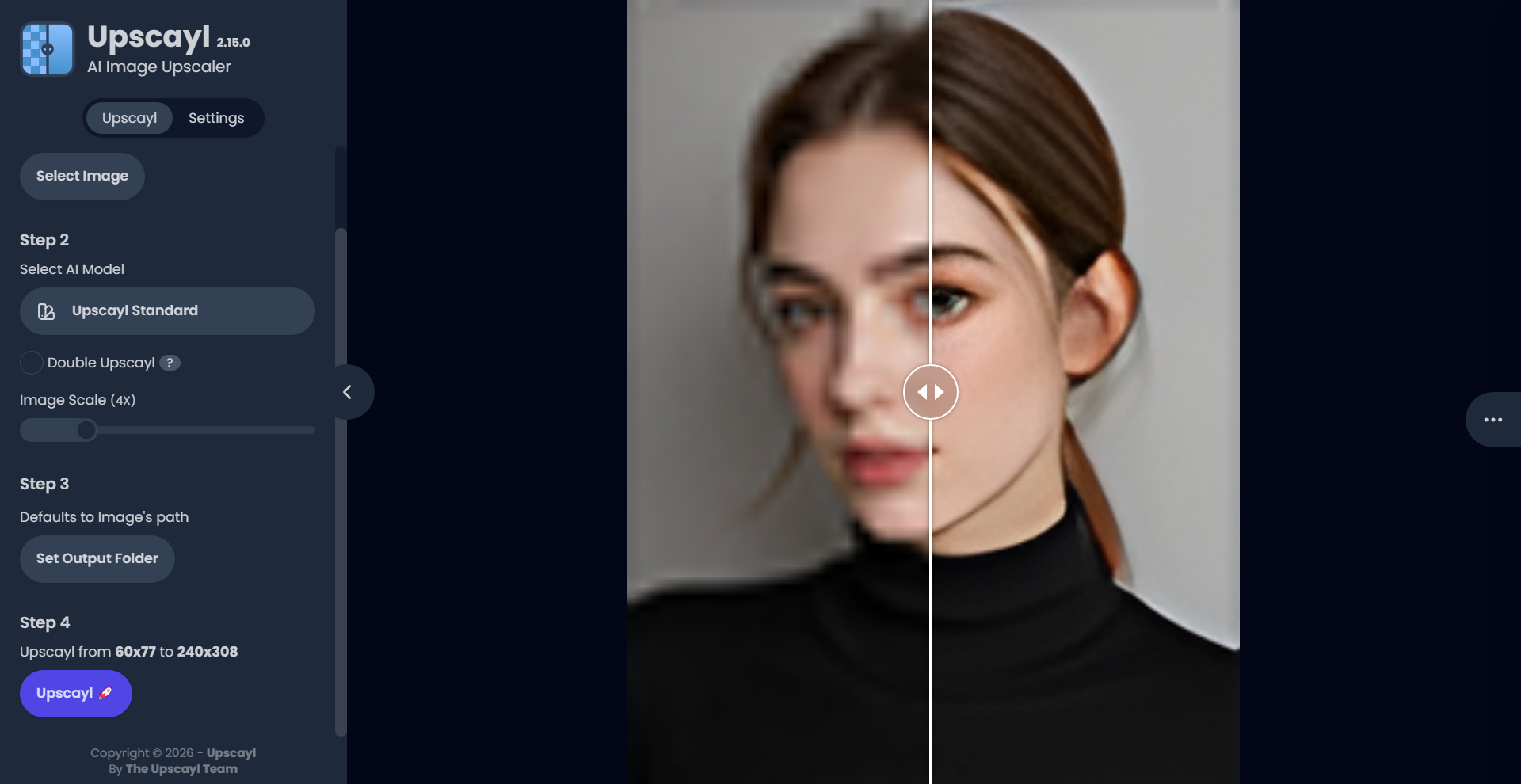
Upscayl is the free upscale seat when you want no SaaS meter and files stay on your machine: moodboard grabs, mockup placeholders, delivery prep before you pay for a commercial photo suite.
- Best for: Designers who prefer offline / privacy-first enlargement over another credit product.
- Strongest use: Install → pick a model → upscale singles or batches → drop into Figma or Photoshop. Optional Upscayl Cloud only when speed or sharing blocks you—not required for the core free product.
- Don’t use if / Watch outs: Print-critical, highly controllable enhancement—compare Topaz Photo AI. Generative “invent detail” upscales—Magnific. Weak local GPU → Cloud or a host tool. Cloud credits are separate from the free desktop installer.
- Pricing snapshot: Desktop is free and open-source. Cloud is optional and credit-metered—check current Cloud trial/tiers on Upscayl.
 BgSub — Free local browser cutouts
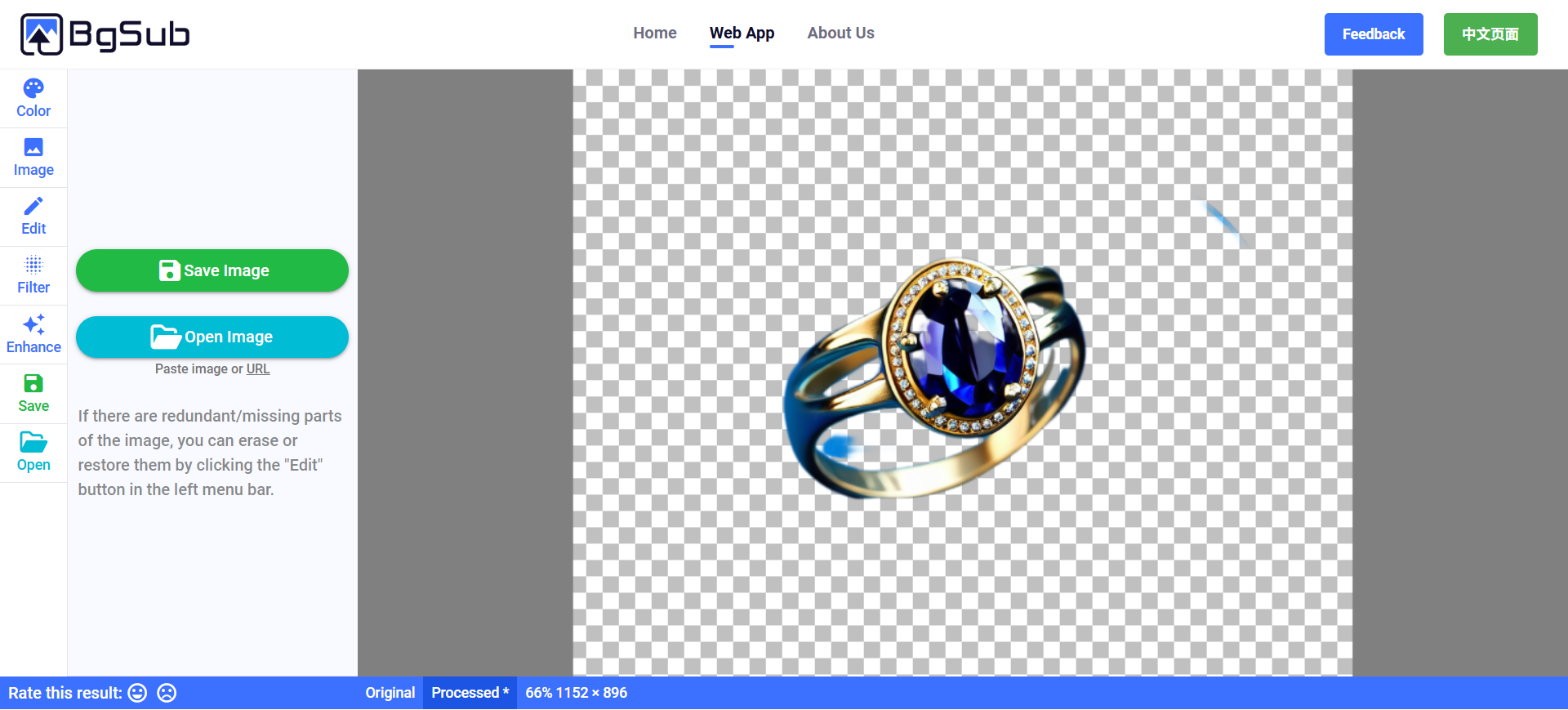
BgSub is the free cutout seat for this list: FAQ states it does not upload images during processing, one-click remove or replace background, then export. Prefer it here when “true free + local feel” matters more than a cloud API.
- Best for: One-off product, people, or object cutouts when you don’t want another signup-and-credit remover.
- Strongest use: Open image → process on-device → tweak color/framing → save → place in Figma, ads, or mockups. Use Edit when edges need erase/restore.
- Don’t use if / Watch outs: You need a production API or batch pipeline today—FAQ: coming soon; for high volume they ask you to email for commercial development. Fine hair edges may lag large cloud models; quality depends on local hardware. Deep portrait beauty or multi-tool enhance suites are out of scope. For paid/API-heavy removers, see Best Background Removal Tools for Designers (or Pack neighbors like remove.bg).
- Pricing snapshot: Free—FAQ: you own rights to processed images; max 4096×4096.
 Cleanup.pictures — Free object erase at 720p
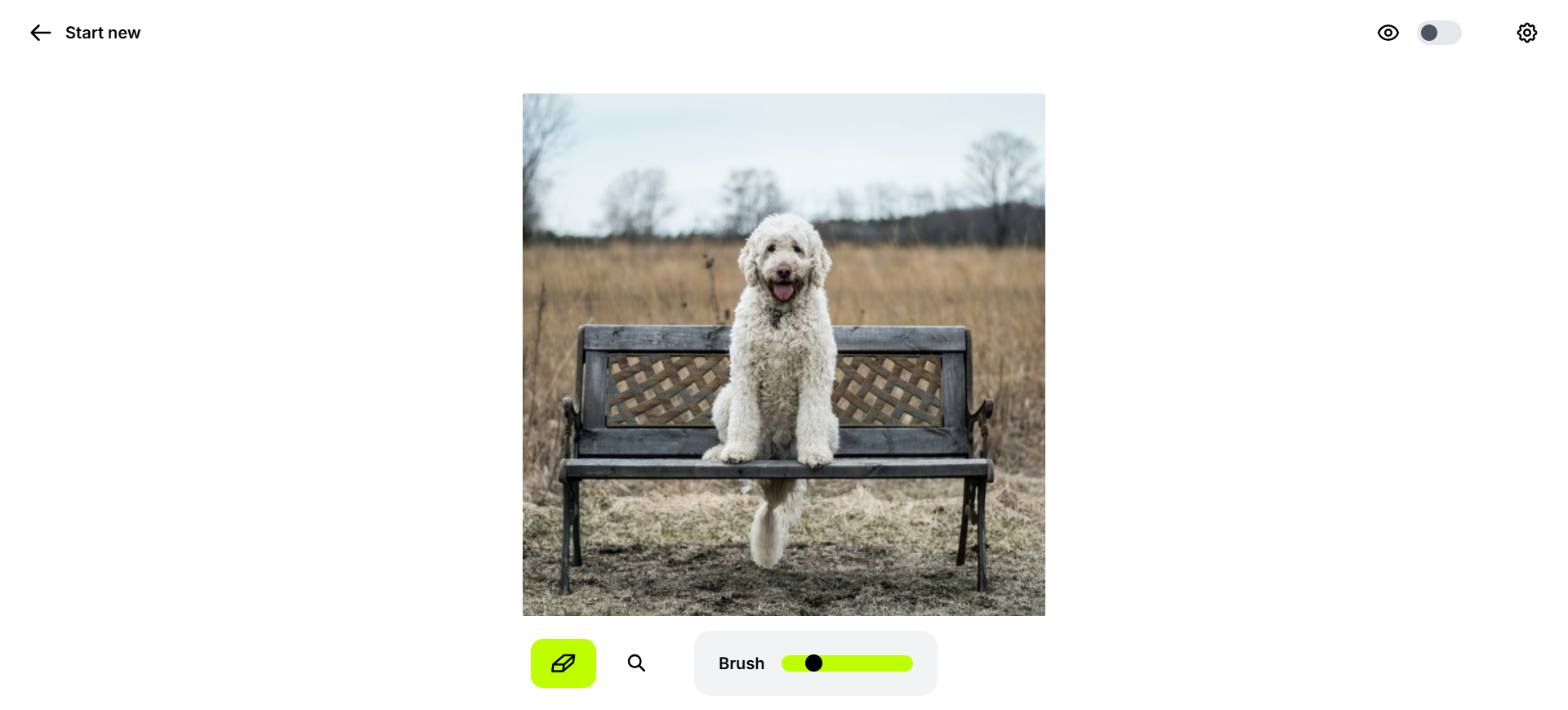
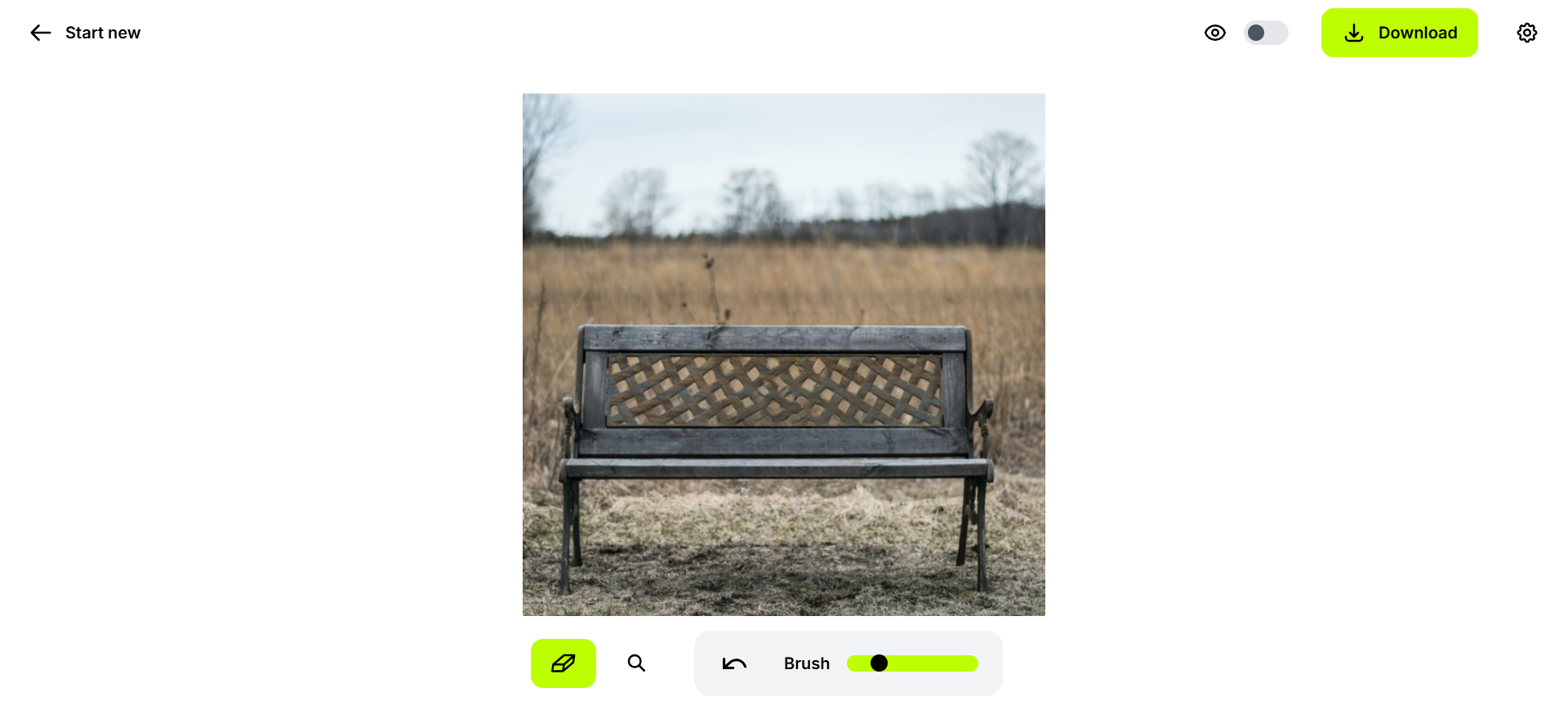
Cleanup.pictures is the free brush → inpaint seat: erase people, text, props, or clutter and fill the hole—not a full photo editor, and not a background-removal tool.
Original (subject still in frame):
After (subject brushed out):
- Best for: Fast still cleanup for web drafts, listings, and layout comps before you open Photoshop.
- Strongest use: Upload → brush unwanted areas → download → place in Figma or Canva. Stay on Free for 720p web drafts; switch to Pro when resolution and the high-quality refiner matter.
- Don’t use if / Watch outs: Print or HD masters—Free stops at 720p. Full cutout jobs → BgSub or a dedicated remover. Upscale / face enhance as the primary job → Upscayl or a retouch suite. Layers and pixel-level control → Photoshop. Don’t erase content you lack rights to edit.
- Pricing snapshot: Freemium — Free unlimited images at 720p; Pro unlocks unlimited resolution + high-quality refiner; ClipDrop Pro suite / usage-based API if you outgrow Cleanup alone.
Don’t use this list if…
- You want a ranked dump of every freemium AI product. Wrong article—we only keep tools with a usable free path for a design job.
- You need a finished brand system or production UI tomorrow. Free gets you direction and first passes; craft still lands with you.
- You’re shopping only for background-removal APIs and HD credit packs. Start from Best Background Removal Tools for Designers or the Graphic Designer Pack.
- You only need one occupation stack. Start from a Pack instead—this list cuts across jobs on purpose.
- You expect free to mean unlimited commercial HD forever. Read each Pricing snapshot; pay when the ceiling is the product.
Start from the Packs
Free tools still belong inside a workflow, not a bookmark folder:
- → Brand Designer Pack — direction → concepts → refine
- → UI / Product Designer Pack — wireframes and Figma-adjacent seats
- → Graphic Designer Pack — refine & cleanup (upscale, erase, cutout neighbors)
This article is the free-tier honesty narrative. Task guides go deeper when you already know the job.
What’s next
- How we evaluate AI design tools — same selection bar, expanded.
- Best AI Logo Generators · Best AI Wireframe Tools · Best AI Image Upscalers for Designers — task depth.
- Later: Best Background Removal Tools for Designers — API/HD removers beyond BgSub.
Missing a free-tier tool that belongs in real design work? Submit it.