
Skip to content

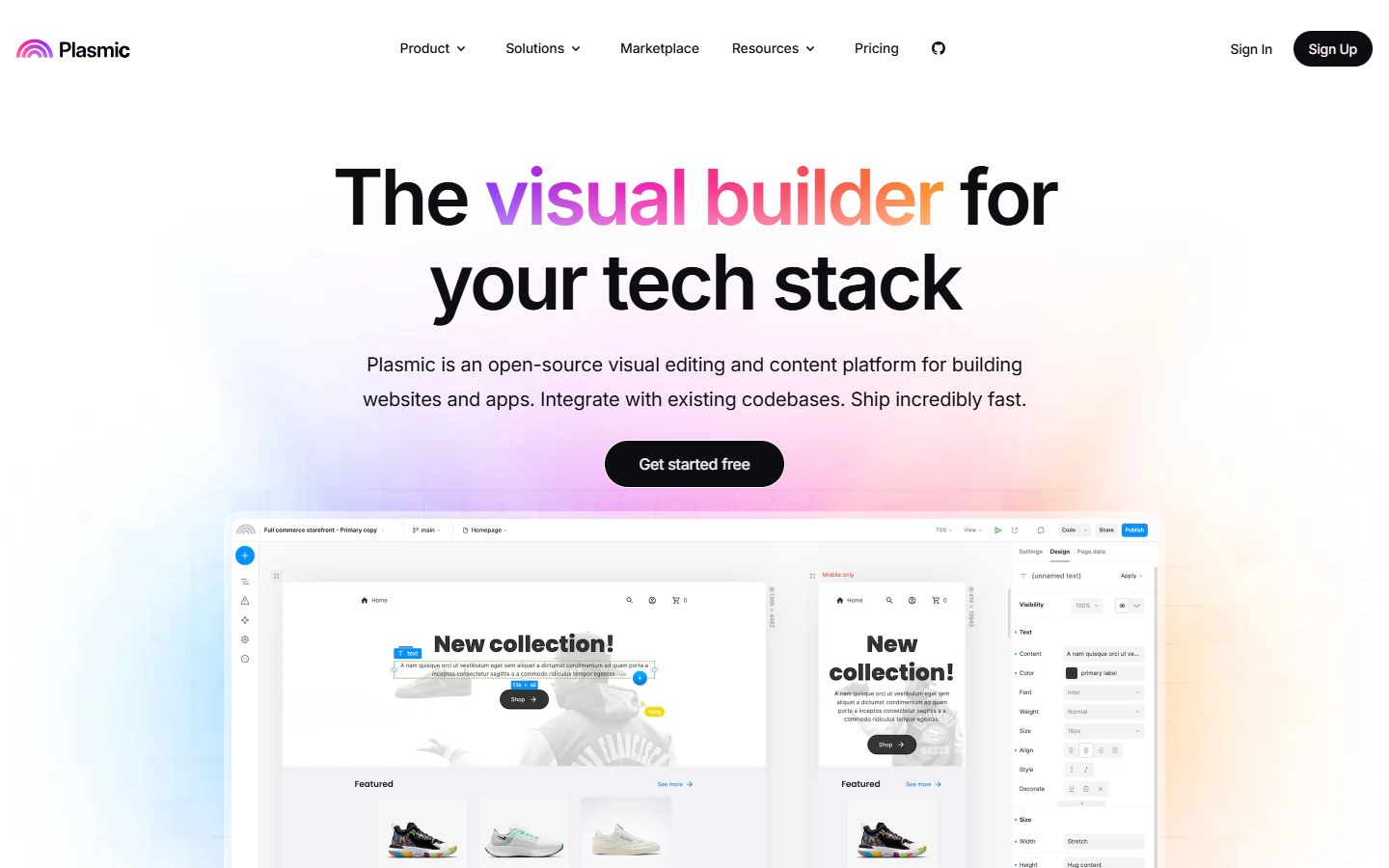
For product, design, and engineering teams who need surfaces inside an existing React stack—not an iframe builder or one-shot Figma export. Plasmic offers drag-and-drop pages, Supabase, Contentful, Shopify, or API hooks, code components, and deploy to Plasmic or your servers. Free includes unlimited projects and headless CMS with three collaborators; paid tiers remove badges, expand seats, and unlock Plasmic AI on Pro. Skip native mobile or logo tools.
Design-to-Code
$Freemium
Plasmic homepage

Use it when

You want designers and marketers to publish pages inside your React app while developers keep control of components, data, and deployment—not a separate hosted site that diverges from code.

What it does well

  • Visual builder that integrates with existing React codebases instead of trapping pages in iframes
  • Register React code components as draggable building blocks for non-developers
  • Figma import plugin to turn frames into production React inside Plasmic Studio
  • Built-in connectors for Supabase, Contentful, Shopify, and custom HTTP or GraphQL APIs
  • Unlimited headless CMS entries on Free; branching, comments, and multiplayer collaboration on paid tiers
  • Deploy to Plasmic hosting with custom domains or sync to third-party servers; enterprise options include SSO and on-prem deployment

Skip it when

  • Free and Starter cap you at three collaborators—Pro expands to about four through ten seats before Scale
  • Plasmic-hosted sites on Free show a Plasmic badge until Starter; plan on Starter to remove it and add a custom favicon
  • Capacity snapshot (monthly billing): Starter adds badge removal and AI support chat; Pro adds priority support and unlimited Plasmic AI (beta); Scale adds content creator mode, A/B testing, scheduled content, and custom targeting for larger teams
  • You need a native iOS or Android store build—Plasmic targets web React apps, portals, storefronts, and internal tools
  • You want a single prompt to a full-stack app—Plasmic is an ongoing visual CMS and builder inside your stack, not Rocket.new-style generation

Fits your workflow

Import Figma frames or build in Studio → bind CMS or API data → developers register shared code components → sync or codegen into your repo → deploy on Plasmic or your infrastructure → let marketing iterate with branching and approvals while engineering keeps the codebase source of truth.
Similar tools

See more