

Skip to content

Frontitude

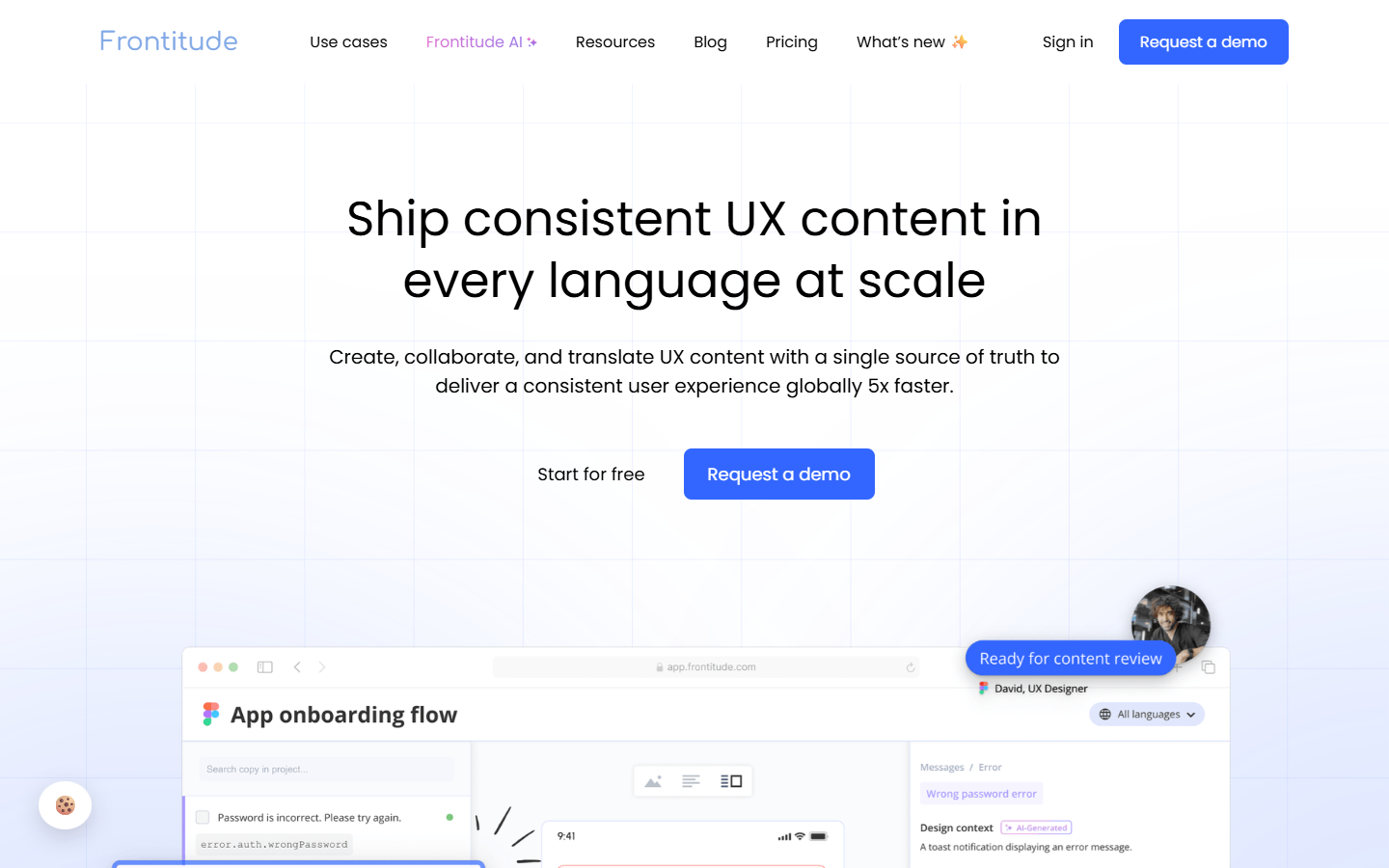
For UX writers, designers, and localization teams who need one source of truth for product microcopy across languages—not a screen generator and not a Figma-only plugin. Frontitude centralizes copy components, review, Design View editing, and handoff to developers, with optional AI writing and translation add-ons. Starter is free forever with tight caps; Team and Growth raise seats and component limits; Organization is custom. Skip if you only need prompt-to-UI or a one-click website importer.
Design Productivity & Workflow
$Freemium
Frontitude homepage

Use it when

Your product ships UI copy across many screens and languages, and writers, designers, translators, and engineers need a shared library instead of spreadsheet paste and screenshot briefs.

What it does well

  • Copy library and reusable copy components with keys, tags, translations, and instances across designs
  • Collaboration features: Review Mode, Design View for in-context editing outside the design tool, mentions, and workflow status
  • Design-tool sync (including Figma) so approved copy stays aligned with files—platform-first, plugin as integration
  • Localization with translation memory, previews in design context, and optional AI Translation / UX Writing Assistant
  • Developer Pack path (CLI/webhooks) to push content into codebases without manual key busywork

Skip it when

  • Starter (free forever): about 2 editors, 1 viewer, 3 projects, 50 copy components, plus Design View—enough to evaluate, not enterprise volume
  • Paid snapshot (yearly billing view): Team raises to about 5 editors / 10 viewers / unlimited projects / 500 components; Growth keeps 5 editors, about 30 viewers / 5,000 components and includes AI Translation add-on plus UX Writing Assistant integration; Organization is custom (SSO, security, dedicated CS)
  • Extras bill separately on paid tiers (extra editors/viewers, Writing Assistant seats, Developer Pack, more components)—check current pricing matrix before budgeting
  • Wrong fit for AI UI generation, WordPress builders, or pure website→Figma importers

Fits your workflow

Connect design files → pull/create copy components → review and localize in Frontitude → sync back to design → optional CLI/export for engineering. Start on Starter; move to Team/Growth when projects and component counts outgrow free caps.
Similar tools

See more