
Skip to content

App Screenshot Creator

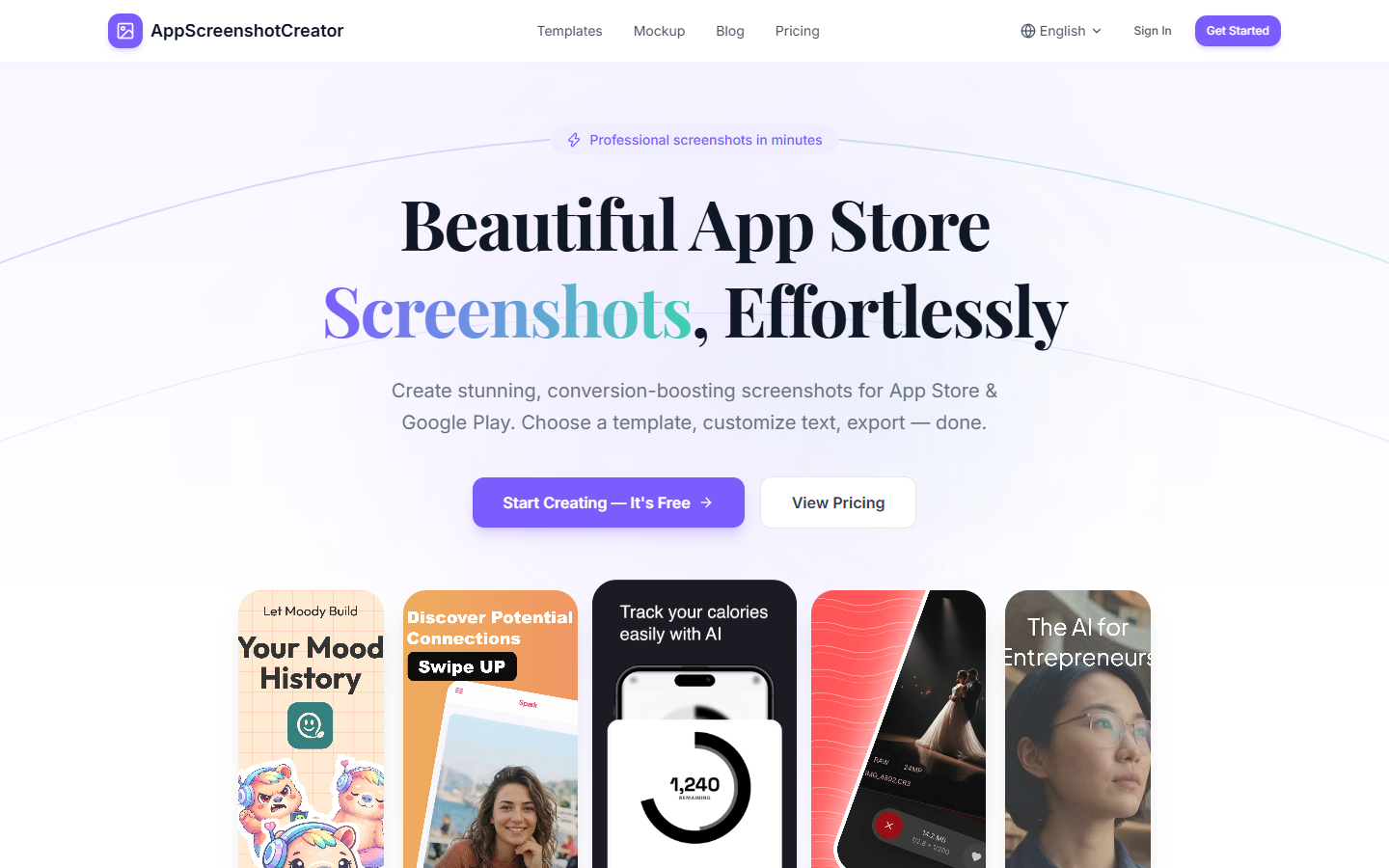
For people shipping an app who need store images, not a new interface. App Screenshot Creator takes screens you already captured, sets them in a template, and lets you edit the headline, type, and color. You leave with PNG or JPG files for the App Store or Google Play. A separate tool wraps one image in a device frame, with no account. Skip it if you still need to design the screen. Free covers 3 projects and a single export size.
Mockups & Product Visualization
$Freemium
App Screenshot Creator homepage

Use it when

You already have app screens and need the framed images a store listing asks for. Use it when a template should set the layout, and you still want to change the headline, type, and color.

What it does well

  • Apply a template, then edit headlines, fonts, sizes, colors, and alignment
  • Keep several screenshots in one project, each with its own style
  • Export PNG or JPG for the App Store or Google Play
  • Ask for an AI headline when you want a first line, then edit it yourself
  • Wrap one image in an iPhone, iPad, Pixel, or Galaxy frame with no account; that mockup runs in the browser

Skip it when

  • You still need to design the app screen itself
  • You need a product render, a 3D scene, or a marketing campaign beyond the store listing
  • Free is too tight: 3 projects, basic templates, one export size, and PNG only
  • JPG, premium templates, and export in more than one size start on Pro
  • The device mockup is one frame around one image, not a full set of store screenshots

Fits your workflow

Upload iPhone, iPad, or Android screens, pick a template, then export PNG or JPG. Pro is $29 once and includes unlimited projects, premium templates, multi-size export, and JPG. The free mockup generator needs no account and keeps that image in the browser.
Similar tools

See more