
Skip to content

Microsoft Designer

For designers already in a Microsoft account who need fast social graphics or slide art—not Canva for teams, not Figma, and not a dedicated upscaler. Designer turns a prompt into posts, invitations, and stills, with light erase and background tools. Free is 15 AI credits per month. Microsoft’s terms license the consumer app for personal, non-commercial use. Skip it when the file must ship to a client.
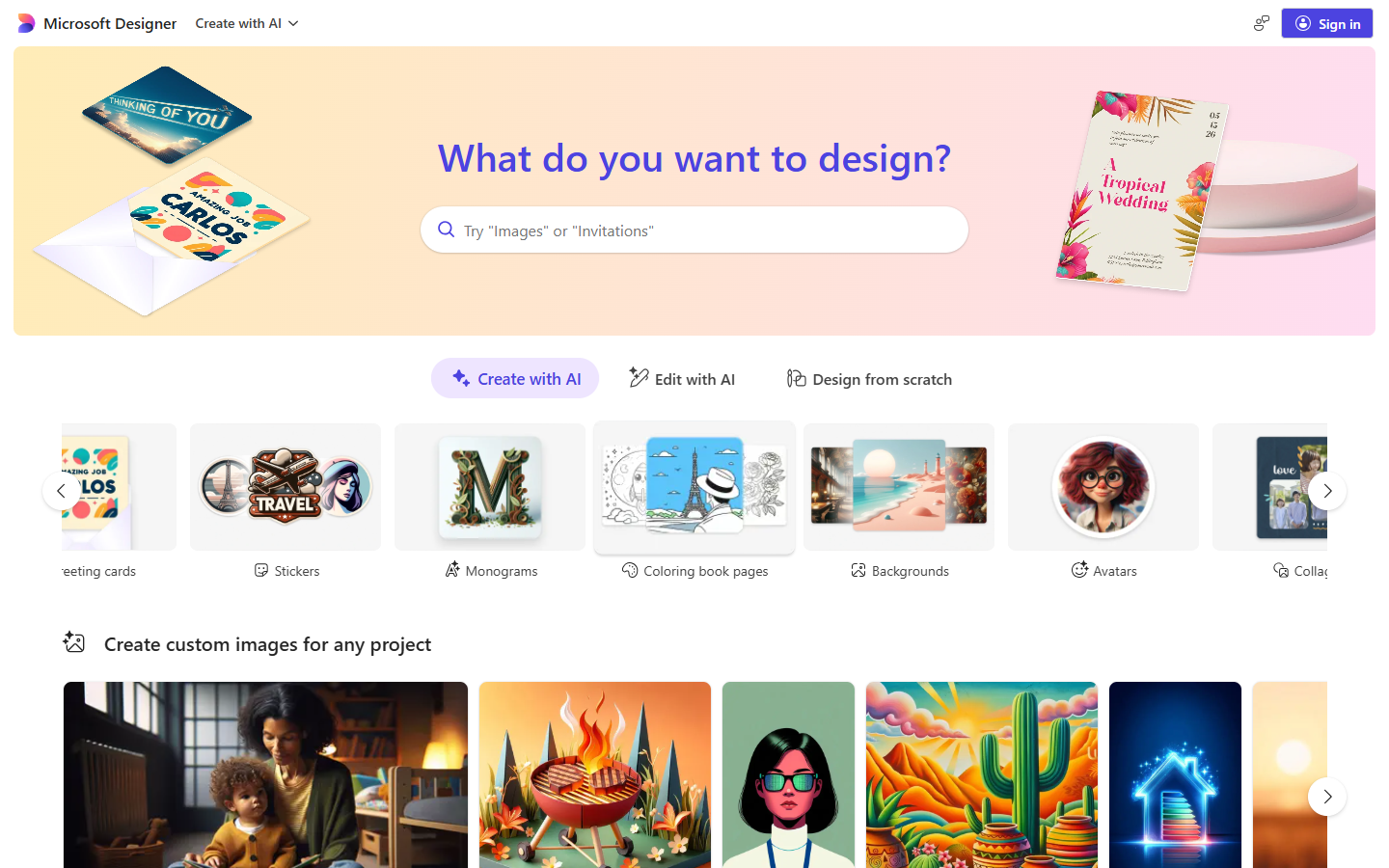
Image GenerationSocial & Marketing Graphics
$Freemium
Microsoft Designer homepage

Use it when

You need a social post, invitation, or presentation still from a prompt—and you will download a raster into PowerPoint or Figma.

What it does well

  • Prompt-to-layout for social posts, cards, invitations, and collages in the browser
  • Light photo cleanup: generative erase, background remove or blur
  • Opens from a Microsoft account on web and mobile; drafts can go into Word or PowerPoint
  • Optional personal brand kit (one saved kit at a time) for color and type on those drafts

Skip it when

  • You need a Figma design system, SVG/icons, or Photoshop print work
  • The job is commercial or client delivery—Designer with a Microsoft account is licensed for personal, non-commercial use
  • You only need 4×–8× upscaling; Designer’s upscale (up to about 4K, age-gated) is a side pass
  • Free is 15 AI credits per month; they also cover other Copilot surfaces, so they run out fast
  • Microsoft 365 Personal or Family is 60 credits/month for the subscription owner only; Premium is extensive usage beyond that pool

Fits your workflow

Generate or layout in Designer → download → place in PowerPoint, or rebuild in Figma if it has to become a system. Treat it as a draft engine inside Microsoft 365, not a brand-ops studio.
Similar tools

See more