


Hyper3D Rodin
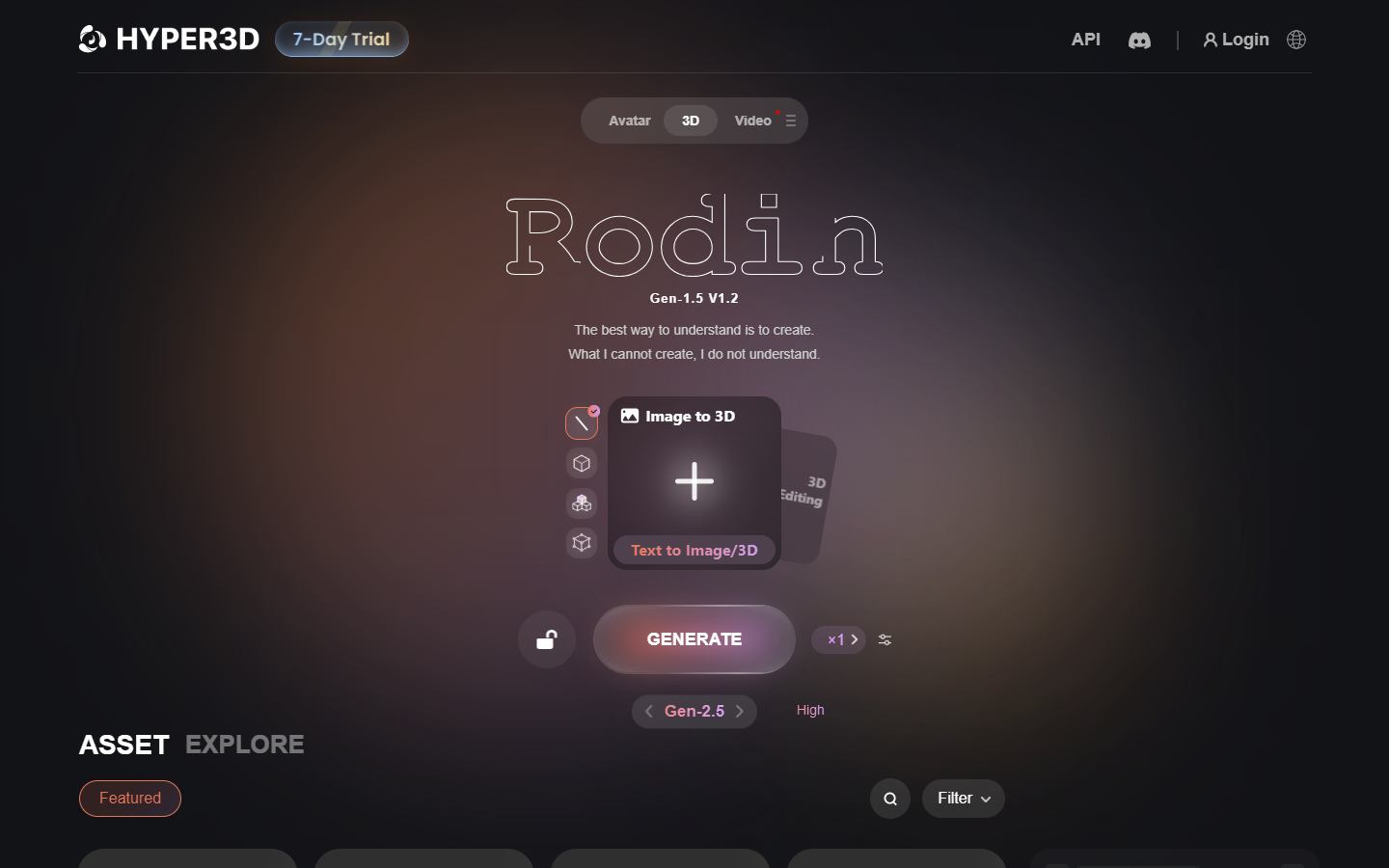
For 3D, game, and product creators who want high-fidelity AI meshes from text or images—and prefer iterating before spending credits. Hyper3D’s Rodin workflow lets you generate and preview for free, then pay by result when you confirm a download—unlike Meshy/Tripo-style meters that burn credits on every generation attempt. Prefer Meshy/Tripo for cheaper credit browsing, or Kaedim for studio-ticket production service.
Use it when
You need AI 3D assets and want to preview many candidates before spending credits—then export production-oriented meshes, textures, and (on higher tiers) API automation.
What it does well
- Pay-by-result: generate and preview before confirmation; credits spend when you confirm exports
- Free: basic text/image-to-3D, ~10 private assets, public gallery; buy direct credits as needed
- Creator: multi-image, Smart Low-Poly, HD/custom textures, baked normals, ~Geometry ×20 / Material ×6 redos, unlimited export and any use (~60 models estimated at entry)
- Business: everything in Creator plus full API, 4K textures/high-poly quads, higher redos, ChatAvatar commercial license (~416 models estimated at entry)
- OmniCraft helpers (remix/HDRI/enhancer) and optional Education / Enterprise paths for verified or custom needs
Skip it when
- You need unlimited export and broad commercial use out of the box—Free keeps those on Creator and above
- Smart Low-Poly, HD textures, or serious redo budgets are required—those are paid-tier features
- You want the cheapest per-generation credit sandbox—Meshy or Tripo may fit better
- API automation is the job—plan for Business or Enterprise, not Free/Creator alone
- Hand-authored topology and hard-surface CAD still belong in Blender, Maya, or ZBrush
Fits your workflow
Prompt or drop references in Rodin → iterate previews for free → confirm the keeper and spend credits → export into Blender/Unity/Unreal. Use Creator for regular production exports; Business when API and 4K/high-poly paths matter.
Similar tools
See more